

Creating corporate training videos that employees want to watch is about understanding how people learn, what keeps them engaged, and how to deliver information that sticks long after the video ends.
The numbers tell the story: employees are 75% more likely to watch video training content than read through documents or manuals. When Microsoft switched from traditional training to video-based learning, they cut their per-person training costs from $320 to just $17 while improving engagement and retention.
The key is approaching video production strategically, from setting clear learning objectives to choosing the right format and distribution method. Done right, training videos become valuable assets that improve performance while reducing long-term training costs.
What is Corporate Training Video Production?
Corporate training video production is the systematic process of creating educational content that teaches employees specific skills, processes, or knowledge they need for their jobs. Unlike marketing videos that sell or entertainment videos that amuse, training videos have one job: helping people learn and apply new information effectively.
The best training videos are focused and concise, typically running 3-5 minutes per topic. Research shows that shorter videos maintain attention better and allow viewers to digest information without cognitive overload. Each video should tackle one specific learning objective rather than trying to cover everything at once.
Modern training video production can happen in-house with basic equipment or through specialized production companies, depending on your needs and budget. The goal remains the same: creating content that transforms how employees understand and perform their work.
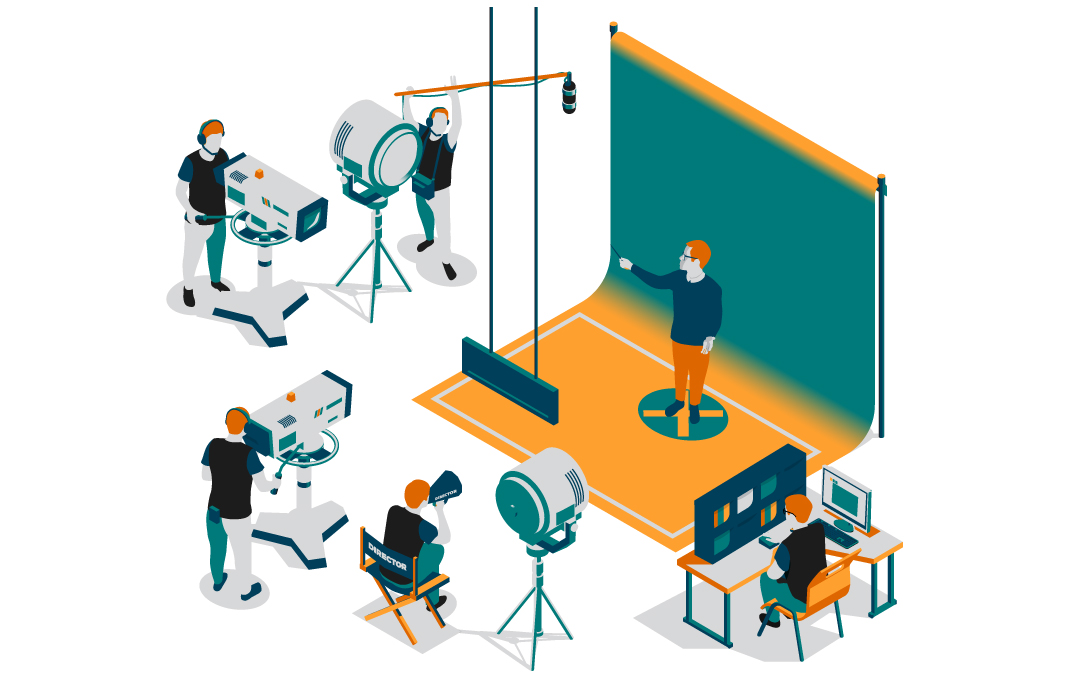
Why Corporate Training Videos Transform Learning
The shift toward video-based corporate training is responding to how our brains naturally process and retain information. Here are some of the benefits:
Enhanced Engagement and Retention
Video combines multiple learning channels simultaneously. Visual learners see processes demonstrated, auditory learners hear clear explanations, and kinesthetic learners can follow along with hands-on practice. This multi-sensory approach dramatically improves how much information people remember and use.
Interactive elements like embedded quizzes, clickable hotspots, and branching scenarios turn passive watching into active learning. When employees engage with content rather than just consuming it, retention rates climb significantly.
Flexibility That Works for Everyone
On-demand video training respects how people learn and work. Busy employees can watch during their most focused hours, new hires can review content multiple times, and global teams can access the same high-quality training regardless of time zones.
This flexibility extends to devices too. Training videos that work on phones, tablets, and computers mean learning can happen anywhere—during commutes, in quiet office moments, or from home offices.
Cost Savings That Add Up
While video production requires upfront investment, the long-term savings are substantial. Instead of flying trainers to multiple offices, coordinating schedules for group sessions, or repeating the same training presentations, you create content once and use it indefinitely.
The scalability is remarkable. Whether you’re training 10 new hires or 10,000, the per-person cost approaches zero after the initial production investment.
Essential Steps for Successful Production
Creating effective corporate training videos follows a proven process. Each phase builds on the previous one, so skipping steps usually leads to costly revisions or ineffective content.
Identifying Clear Objectives
Before touching any equipment, know exactly what you want employees to be able to do after watching your video. Vague goals like “understand our software” create vague content that helps no one. Instead, aim for specific outcomes like “process customer refunds using our new system in under 3 minutes.”
Clear objectives guide every production decision:
– What information to include (and what to leave out)
– How detailed your explanations need to be
– What examples and demonstrations to show
– How to structure content for maximum impact
Focus on one training topic per video. Trying to cover multiple subjects creates confusion and reduces the effectiveness of your training program.
Scripting and Storyboarding Your Content
Even if you plan to sound conversational, having a detailed script prevents rambling and ensures you cover all essential points. Your script should outline not just what you’ll say, but also what viewers will see on screen at each moment.
Storyboarding visualizes the entire video flow before you start filming. This planning phase helps you identify potential problems, ensures smooth transitions between sections, and gives your production team a clear roadmap to follow.
Good scripts include:
– Clear introduction explaining what viewers will learn
– Logical sequence of information and demonstrations
– Visual cues noting what should appear on screen
– Smooth transitions connecting different concepts
– Concrete next steps viewers can take immediately
Pre-Production Planning That Prevents Problems
Successful video production starts long before cameras roll. Pre-production planning covers everything from location scouting to equipment testing to schedule coordination.
Key pre-production elements include:
– Selecting appropriate filming locations that support your content
– Testing all equipment to avoid technical issues during recording
– Scheduling participants and coordinating availability
– Preparing any props, materials, or visual aids needed
– Conducting brief rehearsals to identify potential issues
Test recordings are invaluable during this phase. A quick 5-minute test can reveal audio problems, lighting issues, or framing concerns that would derail your entire production day.
Professional Filming and Recording
High-quality training videos don’t require Hollywood budgets, but they do need clear audio and visuals. Poor technical quality distracts from your message and makes learning harder.
Modern smartphones and HD webcams can produce acceptable video quality for many training applications. The key is understanding your technical requirements and setting up your recording environment properly.
Audio quality matters more than video quality for learning effectiveness. Invest in a decent microphone and record in quiet spaces. Background noise, echo, or inconsistent audio levels can make even great content unwatchable.
Filming tips that improve results:
– Use consistent lighting that doesn’t create harsh shadows
– Keep your recording environment quiet and distraction-free
– Speak clearly and at a consistent pace
– Record multiple takes of complex demonstrations
– Capture close-up shots of detailed processes
Post-Production and Editing Excellence
Editing transforms raw footage into polished training content. This phase involves cutting unnecessary segments, adding graphics and text overlays, improving audio quality, and creating smooth transitions between sections.
Effective editing enhances learning without drawing attention to itself. Viewers should focus on the content, not on fancy transitions or effects. The goal is clarity and engagement, not entertainment.
Post-production typically includes:
– Removing long pauses, mistakes, and irrelevant content
– Adding titles, labels, and visual callouts for key information
– Integrating graphics, animations, or screen recordings
– Adjusting audio levels and removing background noise
– Creating consistent branding elements throughout the video

Choosing the Right Video Format for Your Content
Different training needs call for different video approaches. The most effective training programs use multiple formats strategically rather than forcing everything into one style.
Live-Action Training Videos
Live-action videos featuring real people work best for interpersonal skills, company culture, and scenarios where human connection matters. They’re ideal for leadership training, customer service skills, and safety demonstrations where seeing real consequences adds impact.
Live-action formats excel at:
– Demonstrating soft skills and communication techniques
– Showing real workplace scenarios and problem-solving
– Building emotional connection with company values
– Training that benefits from seeing actual people and environments
Animated Training Content
Animation simplifies complex concepts and works well for abstract ideas, technical processes, or sensitive topics. Animated characters can demonstrate scenarios that would be difficult or expensive to film in real life.
Animation works particularly well for:
– Technical processes that are hard to visualize
– Compliance training that requires consistent messaging
– Global audiences where language or cultural differences matter
– Content that needs frequent updates without re-filming
Screencast Demonstrations
Screen recordings are perfect for software training, system walkthroughs, and any process that happens on a computer. They show exactly where to click, what to expect, and how to navigate digital tools.
Screencast videos are ideal for:
– Software training and digital tool tutorials
– System setup and configuration guides
– roubleshooting common technical problems
– Detailed process documentation that requires precision
Interactive and Immersive Formats
Interactive videos and 360-degree content create engaging experiences that boost retention. While more complex to produce, these formats work well for high-impact training where engagement is critical.
Consider interactive formats for:
– Safety training where decision-making matters
– Customer service scenarios with multiple possible outcomes
– Leadership development that requires practicing responses
– High-value training where engagement directly impacts results
Smart Budget Planning for Video Production
Corporate training video costs vary widely based on complexity, length, and production approach. Understanding cost factors helps you make informed decisions about where to invest your training budget.
Factors That Affect Production Costs
Video complexity has the biggest impact on costs. Simple screencast recordings cost much less than live-action productions with multiple locations and professional actors. Animation typically falls somewhere in the middle, depending on style and complexity.
Key cost considerations include:
– Video length and number of topics covered
– Production approach (in-house vs. professional production)
– Talent requirements (employees vs. professional actors)
– Location needs and setup complexity
– Post-production requirements and special effects
– Distribution platform requirements and formatting needs
Budget-Friendly Production Approaches
Many effective training videos can be produced in-house with modest equipment investments. Modern technology makes high-quality video production more accessible than ever before.
Cost-effective production strategies:
– Start with simple screencast or talking-head formats
– Use existing employees as on-screen talent
– Record in existing office spaces rather than renting locations
– Focus on clear audio and lighting rather than expensive equipment
– Create templates and systems for consistent production
When to Invest in Professional Production
Some training content benefits from professional production, particularly when the stakes are high or the audience is large. Safety training, leadership development, and content that will be used for years often justify higher production investments.
Consider professional production for:
– Training that directly impacts safety or compliance
– Content that will reach thousands of employees
– Videos representing your company to external audiences
– Complex productions requiring specialized skills or equipment

Distribution Strategies That Maximize Reach
Creating great training videos is only half the challenge. Getting them to the right people at the right time determines whether your content improves performance.
Internal Distribution Channels
Most corporate training videos serve internal audiences, requiring distribution through company-controlled channels. Learning management systems (LMS), internal websites, and company intranets provide secure, trackable access to training content.
Effective internal distribution includes:
– Integration with existing LMS platforms for tracking and reporting
– Mobile-friendly access for employees using phones and tablets
– Search functionality that helps employees find relevant content quickly
– Organized libraries that group related training topics together
On-Demand Access and Flexibility
The best training videos are available when employees need them most. On-demand access means new hires can watch onboarding content before their first day, and experienced employees can refresh their knowledge when facing new challenges.
On-demand distribution benefits:
– Eliminates scheduling conflicts and time zone issues
– Allows employees to learn during their most focused hours
– Enables just-in-time learning when facing specific challenges
– Reduces pressure on HR and training teams for repeated sessions
Analytics and Performance Tracking
Understanding how employees interact with your training videos helps optimize content and identify knowledge gaps. Analytics reveal which videos are most watched, where viewers drop off, and which topics might need additional support.
Key metrics to track include:
– Completion rates for different videos and topics
– Engagement patterns and common drop-off points
– Quiz scores and knowledge retention indicators
– Employee feedback and satisfaction ratings
Scaling Your Video Production Capabilities
As your training video program proves successful, you’ll likely need to scale production to meet growing demands. Smart scaling strategies help maintain quality while increasing output.
Tools and Platforms That Support Growth
Modern video creation tools make scaling more manageable by providing templates, automated features, and collaborative workflows. Platforms like Camtasia, Loom, and specialized corporate training tools streamline production processes.
Scaling-friendly tools include:
– Template-based systems that ensure consistent quality and branding
– Cloud-based platforms that enable collaboration across teams
– Automated features that reduce manual editing time
– Integration capabilities that connect with existing training systems
Building Internal Capabilities
Developing internal video production skills reduces long-term costs and improves responsiveness to changing training needs. Training existing employees in basic video production creates sustainable capabilities within your organization.
Internal capability development:
– Basic video production training for HR and training teams
– Equipment standardization for consistent quality across productions
– Template and workflow development for efficient production
– Quality standards and review processes to maintain effectiveness
Hybrid Production Approaches
Many successful programs combine internal and external production resources strategically. Simple updates and routine training might be handled internally, while complex or high-stakes content benefits from professional production.
Hybrid strategies work well for:
– Routine training updates and simple demonstrations handled internally
– Major training initiatives or company-wide rollouts using professional production
– Specialized content requiring expertise not available internally
– High-visibility training that represents the company to external audiences
The goal is creating sustainable systems that deliver consistent, high-quality training content while managing costs effectively. Success comes from understanding your specific needs and building capabilities that support long-term training objectives.
Frequently Asked Questions
What are the key phases in corporate training video production?
The key phases are pre-production (planning and scripting), production (filming and recording), and post-production (editing and distribution). Each phase builds on the previous one to ensure effective and engaging training content.
How can interactive elements enhance training videos?
Interactive elements like quizzes, clickable hotspots, and branching scenarios transform passive watching into active learning. They provide immediate feedback, reinforce key concepts, and help measure employee understanding and retention.
What are the cost factors to consider in training video production?
Key cost factors include video complexity, length, production approach (in-house vs. professional), talent requirements, location needs, and post-production requirements. Distribution platform needs and ongoing maintenance should also be considered.
How can companies measure the effectiveness of their training videos?
Companies can measure effectiveness through video analytics, completion rates, quiz scores, employee feedback, and observable performance improvements. Tracking engagement patterns and knowledge retention provides insights into content effectiveness and areas for improvement.
What tools can help scale corporate training video production?
Tools like Camtasia, Loom, Biteable, and Wideo help scale production through templates, automated features, and collaborative workflows. These platforms reduce production time while maintaining quality and consistency across training content.
Spotlightr Video Hosting For Your Course
Discover why Spotlightr is the #1 choice for course creators and e-learning professionals.
Register for a free 2 week trial, no credit card required.