

Sharing videos privately sounds simple until it isn’t. Maybe you’re sending a draft to a client, collaborating with a team, or sharing personal footage with family. In every case, you want the same things: control over who sees your video, confidence that it won’t be forwarded, and a smooth viewing experience for the people you trust.
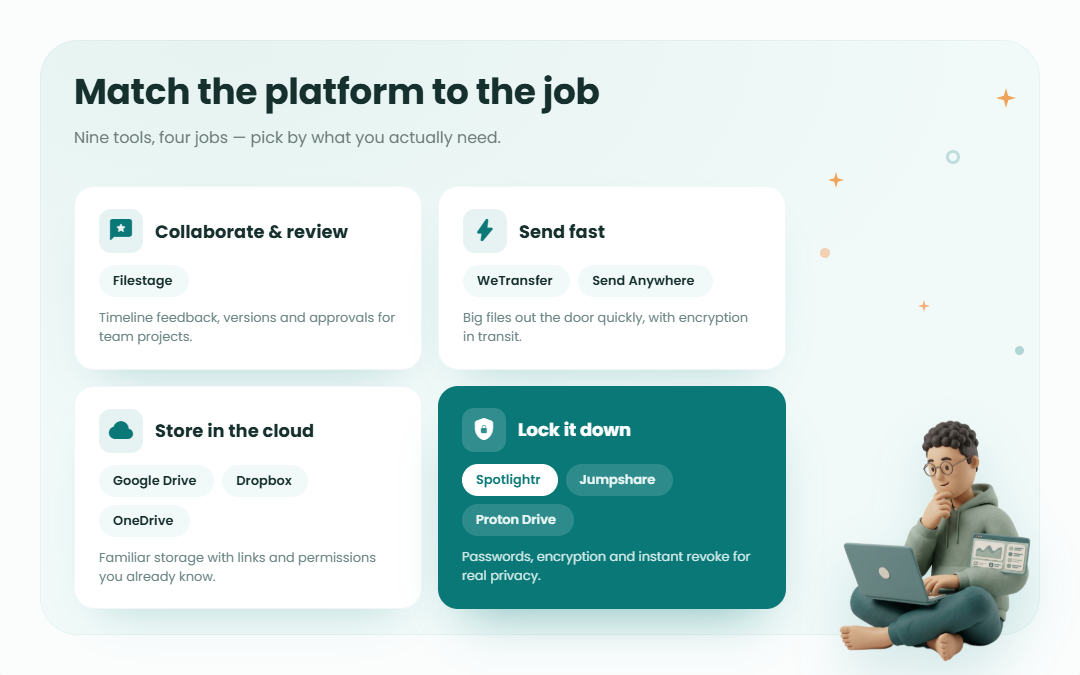
Today’s private video sharing tools go far beyond basic file uploads. Some focus on collaboration and feedback, others on fast transfers, and some on strict privacy through encryption and access controls. Established cloud platforms still play a role, but newer tools are built specifically for secure video sharing without ads or public exposure.
This guide walks through the best platforms for private video sharing in 2026. Each option solves a different problem, from reviewing videos with stakeholders to sending large files securely or storing sensitive content long term. By the end, you’ll know which type of platform fits your situation and why.
Best Practices for Private Video Sharing
When you share videos privately, security and control matter more than convenience. A good platform helps, but how you use it matters just as much.
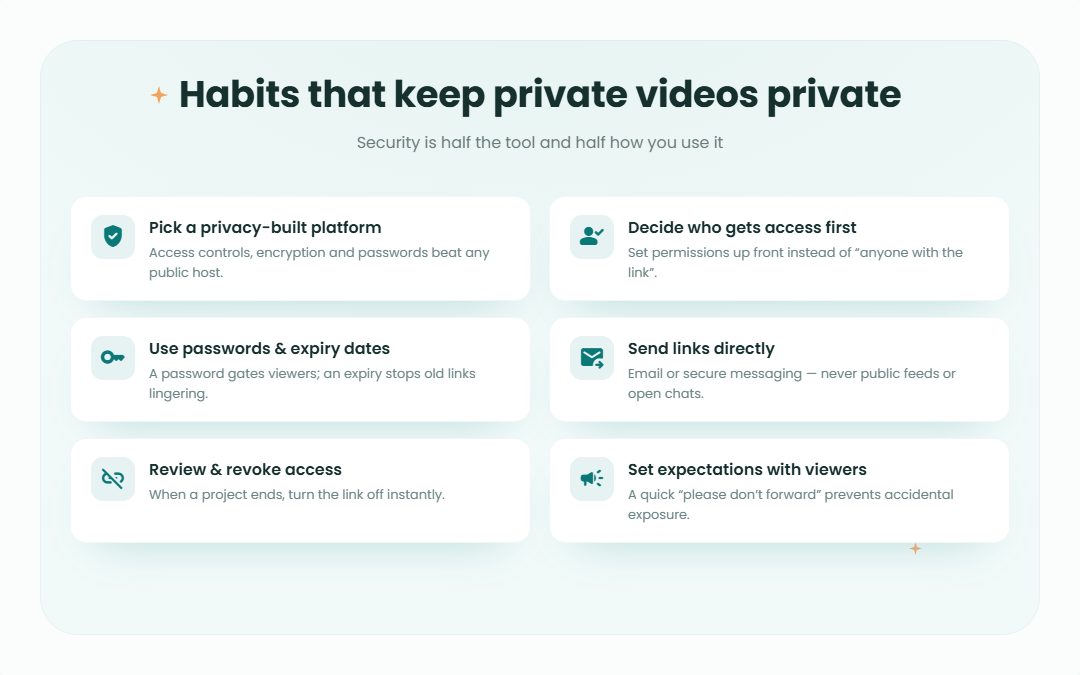
Here are the habits that keep private videos truly private:
Choose a platform built for privacy: Look for tools that offer access controls, encrypted storage, and password protection. Platforms designed for collaboration or secure transfers tend to handle privacy better than public video hosts.
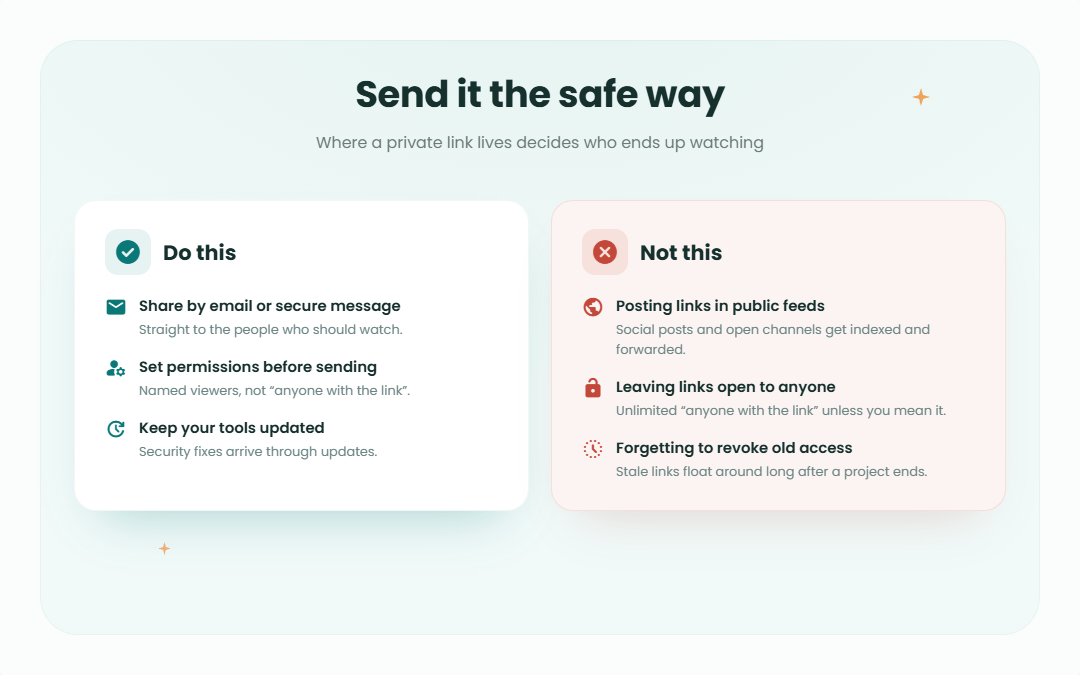
Decide who gets access before you share: Set viewing permissions in advance. Limit downloads if needed and avoid leaving links open to “anyone with the link” unless that’s intentional.
Use passwords and expiration dates: Passwords add a simple layer of protection. Expiration dates prevent old links from floating around indefinitely, which reduces the risk of unwanted sharing later.
Send links directly to recipients: Avoid posting private links in public spaces like social feeds or open chat channels. Share them through email or secure messaging instead.
Review and revoke access when needed: If a project ends or someone no longer needs access, remove it. Most platforms let you turn off links instantly.
Keep your tools updated: Security improvements often come through updates. Staying current helps protect your files without extra effort.
Set expectations with viewers: A quick reminder not to forward private links can prevent accidental exposure. People usually respect boundaries when they’re clear.
These steps don’t require advanced technical knowledge. They simply help you stay intentional about where your videos live and who can see them.
Spotlightr for Password-Protected Video Files
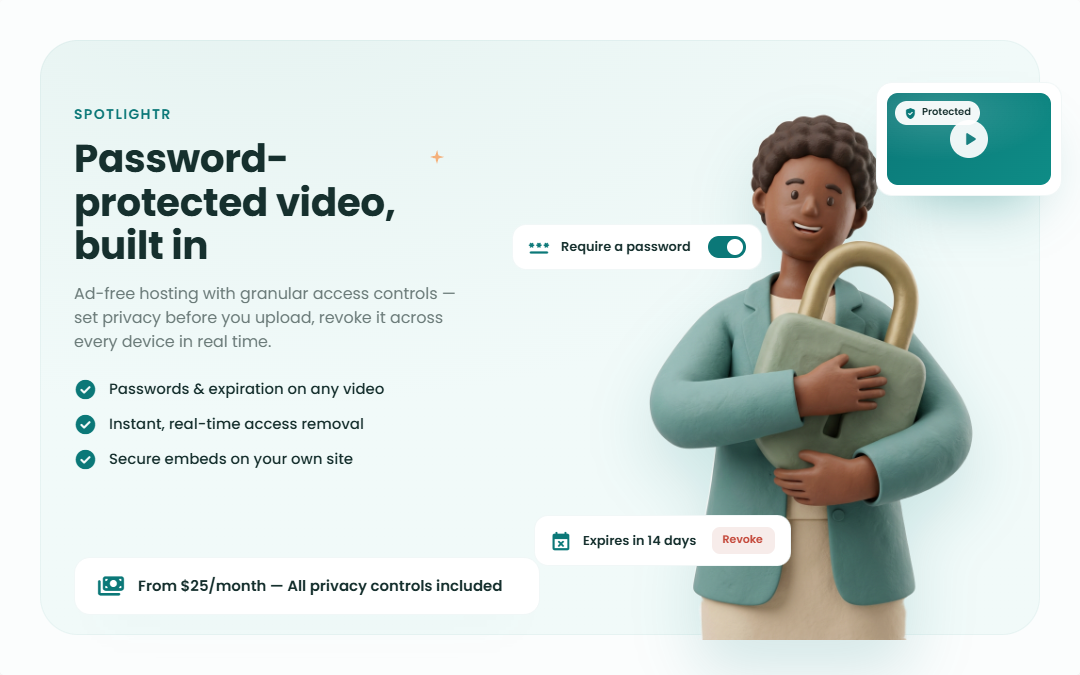
Spotlightr is known for high-quality video hosting and excellent privacy features. The platform includes an ad-free video player for a seamless viewing experience and is designed for professionals needing to share videos securely and efficiently.
Premium features like customization, branding, and interactive elements set Spotlightr apart while maintaining strong privacy and security standards. The platform also allows you to embed videos securely on your website or other platforms, giving you control over privacy and accessibility.
Businesses and freelancers who prioritize privacy will find Spotlightr ideal. The platform’s focus on password-protected videos and advanced privacy controls ensures your video files remain safe from unauthorized access.
Customizable Privacy Settings on Spotlightr
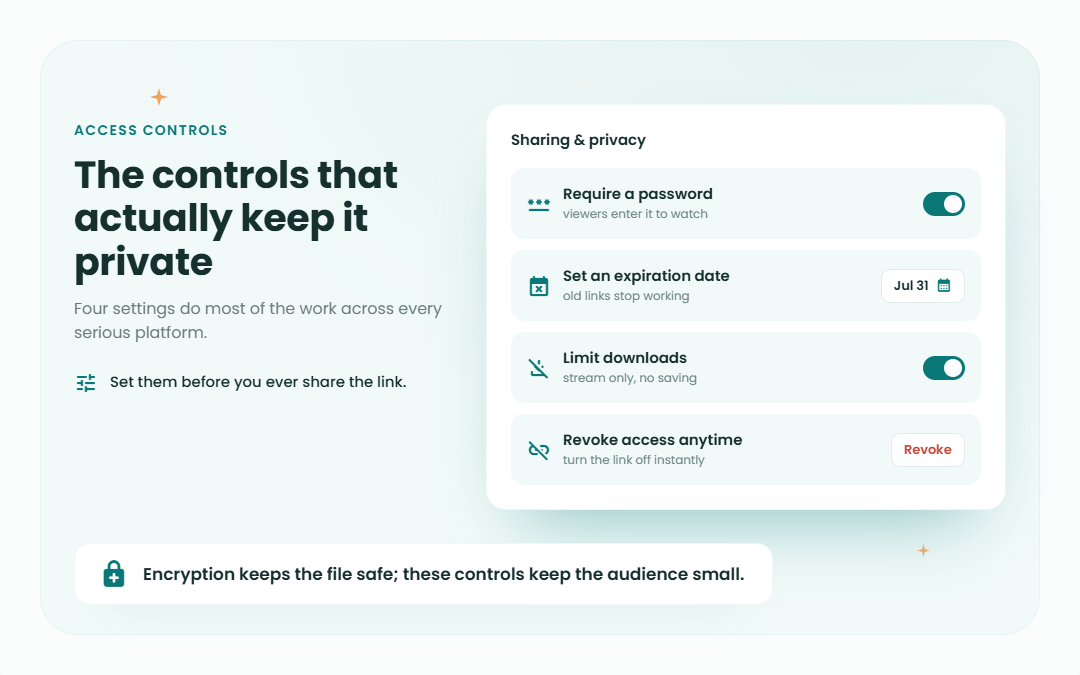
Spotlightr offers granular access controls, allowing users to set specific viewing permissions before uploading videos, ensuring content remains private. Additionally, real-time access removal lets you instantly revoke permissions across all devices if needed, giving you full control over who can view your content.
Spotlightr’s advanced privacy controls enable secure video sharing. Options to set passwords and expiration dates ensure your videos are only accessible to chosen individuals for specific time periods.
Spotlightr Plans and Pricing
Spotlightr offers various pricing plans to accommodate different usage levels. The Light plan, at $15 per month, includes 50 GB of storage and 200 GB of bandwidth, which works well for individual professionals or small businesses.
For more extensive needs, the Scale plan at $195 per month offers 2000 GB of storage and 6000 GB of bandwidth, along with all advanced privacy, engagement, and marketing features. This makes it suitable for larger organizations with significant video hosting requirements.
Share & Protect Video Applet
Use our Spotlightr applet below to share a video quickly and easily. Just upload a video and then configure the password settings. Then click on Publish to share the video. Use the embed code to embed on your web page or use the watch page link for quick sharing.
Filestage for Secure Video Sharing
Filestage streamlines the review and approval process for video sharing, making it ideal for collaborative projects. Users can communicate feedback in real-time, enhancing workflow efficiency and maintaining control over video content. The platform emphasizes security, keeping your private videos safe during the review process. When uploading or inviting reviewers, users can set privacy controls and permissions to ensure only authorized individuals have access.
Filestage provides numerous features for private video sharing:
– Upload videos with ease
– Comprehensive feedback management
– Restricted access for authorized users only
– Customizable branding options
– Timeline-based feedback capabilities
These features cater to professionals needing a secure and efficient solution for collaborative video projects.
Key Features of Filestage
Filestage enhances video sharing with timeline-based feedback, enabling precise annotations at specific moments in the video. This clarity makes feedback more actionable and easier to implement. The platform also offers version control to track different iterations of video files, ensuring teams can reference previous versions when needed.
Filestage values user input, empowering teams to drive the review process and ensuring that feedback reflects the needs and preferences of all stakeholders.
Security remains paramount for Filestage. Users can utilize customizable settings like passwords and expiration dates to manage access, ensuring only authorized individuals can view the content. This feature makes it ideal for securely sharing private videos without hindering collaboration and feedback processes.
Filestage Pricing Plans
Filestage provides various pricing plans to accommodate different needs. The free plan includes 2 GB of secure storage and accommodates unlimited reviewers and versions, making it suitable for small teams or light usage.
For those who require additional storage, three paid options are available, each offering more storage and additional features. This makes Filestage a versatile platform for various user requirements, including options for unlimited storage.
WeTransfer for Simple Private Video Sharing
WeTransfer is a well-known tool for private video sharing, celebrated for its simplicity and user-friendly interface. Users can quickly upload and securely share videos, making it efficient for both personal and professional content.
The platform is known for allowing users to upload videos and send them securely via email without complicated setup processes.
A significant benefit of WeTransfer is its speed. The platform handles large video files effortlessly, ensuring quick and secure transfers. It also offers security features like password protection and expiration dates for shared files to keep your videos safe. WeTransfer encrypts files with TLS during upload and re-encrypts them using AES-256 on its servers, providing multiple layers of protection.
How to Use WeTransfer
WeTransfer is straightforward to use. Key features and steps include:
– The free plan allows file sharing up to 3 GB at no cost
– Upload your video files to the platform
– Enter the recipient’s email address
– Send the files
WeTransfer uses TLS encryption during upload to secure your files, keeping them private and protected throughout the transfer process.
Users can add passwords to shared files to password protect them for extra security, ensuring only authorized individuals can access the content. Additionally, WeTransfer encrypts files during transfer to safeguard against unauthorized access.
Expiration dates can be set for shared files, ensuring content remains accessible only for a limited time. This feature provides an additional layer of control over who can view your videos and for how long.
WeTransfer Storage and Pricing
WeTransfer offers a free version that allows for 10 transfers per month, which works well for occasional users. For users who require more storage and additional features, WeTransfer has Ultimate, Teams, and Enterprise subscription options.
Google Drive for Organizational Video Sharing
Google Drive offers a reliable platform for organizational video sharing with strong security features and privacy controls. TLS encryption for files in transit and AES-128 for files at rest ensure your videos remain secure, making it ideal for businesses and teams that handle sensitive content.
Google Drive’s seamless integration with Gmail enhances the video sharing experience. Users can easily share videos with team members and control access permissions, ensuring only authorized individuals can view and edit the content. This level of control makes Google Drive a top choice for organizational video sharing.
Steps to Share Videos on Google Drive
Sharing videos on Google Drive is straightforward. Users can generate shareable links and adjust settings to limit viewer access, ensuring only those with the link and necessary permissions can view the content. This approach provides secure video sharing for teams of any size.
To share a video, upload the file to Google Drive, right-click on it, and select “Get shareable link.” Copy the link and share it with your intended recipients. Google Drive ensures the security of shared video files, providing peace of mind when sharing sensitive content.
Google Drive Storage Options
Google Drive offers up to 15 GB of free storage, which is ideal for basic video file needs and general cloud storage. For users requiring more space, Google One plans provide additional storage options beyond the free limit.
Dropbox for Secure Video Uploads
Dropbox offers several key features that make it a strong choice for private video sharing:
– User-friendly experience across all devices
– Secure video uploads and sharing capabilities
– Straightforward interface for easy navigation and managing video files
– Strong security features that protect videos from unauthorized access during sharing
Dropbox uses TLS for in-transit security and AES-256 encryption at rest, ensuring your videos remain private and protected throughout the storage and sharing process.
A key advantage of Dropbox is its accessibility from any mobile device. Whether on a computer, tablet, or smartphone, you can easily upload and share videos privately, making it versatile for personal and professional use.
Using Dropbox for Private Video Sharing
To share videos on Dropbox, select the file, click ‘Share’, and enter the recipients’ email addresses. This process ensures only intended recipients can access the video files, maintaining content privacy. Additionally, creating a shared link and managing access controls further enhances security.
Dropbox makes private video sharing simple and efficient with features like password protection and expiration dates for shared links. These tools ensure videos remain safe and secure while still being accessible to authorized viewers.
Dropbox Storage Plans
Dropbox offers a free plan with limited storage, suitable for light usage and occasional file sharing. For users who need more space, the Plus plan at $11.99 per month provides 2 TB of storage, which is ideal for extensive media files. You can easily manage your files through your Dropbox account.
Send Anywhere for Fast and Secure Video Transfers
Send Anywhere is known for its speed and security in private video sharing. The platform allows real-time video file transfers, making it reliable for quick and secure sharing with colleagues or friends. Send Anywhere allows users to share videos quickly without requiring recipients to create an account, which streamlines the sharing process.
Its simplicity and efficiency make Send Anywhere an excellent option for private video sharing. End-to-end encryption ensures your video files remain confidential and protected from unauthorized access during the entire transfer process.
End-to-End Encryption with Send Anywhere
Send Anywhere’s end-to-end encryption secures video sharing, ensuring only the sender and recipient can access the files. This encryption safeguards against unauthorized access during transfer, providing peace of mind for users sharing sensitive content.
The platform’s encryption protocols protect your videos from the moment they leave your device until they reach the intended recipient.
Send Anywhere Pricing Options
Send Anywhere offers three main pricing options: a Free plan for transferring files up to 10 GB, a Lite plan for larger file transfers up to 20 GB, and a Standard plan for transferring files up to 30 GB.
OneDrive for Versatile Cloud Video Sharing
OneDrive, Microsoft’s cloud storage solution, offers a versatile platform for video sharing. It provides 5 GB of free storage and integrates seamlessly into the Microsoft ecosystem, making it a convenient choice for users who work with Microsoft services. This cohesive experience is suitable for both personal and professional use.
OneDrive’s ease of use and powerful sharing features make it an excellent choice for securely sharing private videos. Options to generate shareable links and manage permissions ensure only chosen individuals can access your files.
How to Share Videos on OneDrive
Sharing videos on OneDrive is straightforward. Generate a shareable link with specific permissions to ensure only authorized individuals can access the content. Setting permissions before sharing adds an extra layer of security to your video files.
OneDrive allows users to set a password for accessing shared videos, ensuring they remain protected and accessible only to those with the credentials. Adjusting sharing settings to meet privacy needs is simple, making secure video sharing accessible to users of all technical levels.
OneDrive Storage and Pricing
OneDrive provides 5 GB of free storage, which covers basic needs for most casual users. For more space, a Microsoft 365 Personal account offers 1 TB of storage, starting at $9.99 per month.
This makes OneDrive a cost-effective option for extensive video storage and sharing, particularly for those already using Microsoft products.
Jumpshare for Enhanced Video Privacy Controls
Jumpshare offers a private video sharing tool with several robust privacy controls. This platform allows users to share videos securely via a video link or email, ensuring only intended recipients access the content. It also supports online playback of popular video formats directly in the browser, enhancing the viewing experience with a copy link button and a share button for convenience.
The platform is designed to ensure user privacy, making it an excellent choice for those who need to share private videos securely. With advanced privacy controls and a user-friendly interface, Jumpshare offers a comprehensive solution for secure video sharing.
Setting Up Privacy Controls on Jumpshare
Jumpshare allows users to manage video visibility through several features:
– Unlisted video sharing and password protection
– Links that expire after a defined time, views, or downloads, ensuring content remains private
– Limiting access to specific individuals
– Restricting downloads, providing complete control over video sharing
Jumpshare’s advanced privacy controls simplify secure video sharing. By setting permissions and adjusting privacy options, users can ensure their content is protected and accessible only to chosen individuals.
Viewer Analytics and Engagement
Jumpshare notifies you when someone plays your video for the first time, keeping you informed about viewer engagement. Its video analytics offer actionable insights, including:
– Tracking views
– Tracking downloads
– Monitoring average completion rate
– Tracking CTA clicks
These insights help users understand how their videos are being received and make necessary adjustments to improve viewer experience and engagement.
Proton Drive for Encrypted Video Storage
Proton Drive is known for its end-to-end encryption, ensuring that only the user and selected individuals can access stored files. Proton Drive offers end-to-end encryption by default for all files stored, providing an extra layer of security for your private videos. This level of security makes Proton Drive an excellent choice for private video sharing, as users have complete control over who can view their content. By using Proton Drive, you can be confident that your video files remain confidential and protected from unauthorized access.
End-to-end encryption means that only the user controls the encryption keys, ensuring that your private videos are safe from third-party access. This strong privacy control is particularly beneficial for users who prioritize security in their video sharing.
Benefits of Using Proton Drive
Proton Drive uses end-to-end encryption by default for secure video storage, which sets it apart from many competitors. The platform is funded by its users, meaning there are no shareholders or venture capital involved. This structure ensures that user privacy remains a top priority rather than profit maximization.
Proton Drive provides users with control over video visibility, expiry dates, and password protection when sharing videos. These features make it an excellent choice for those who need secure and private video sharing with maximum control over their content.
Proton Drive Free and Paid Plans
Proton Drive offers a free storage option that allows users to store and share video files securely without cost. This makes it accessible to users who need basic secure storage without financial commitment. For those who need more storage and additional features, Proton Drive provides paid plans that include expanded storage space and enhanced privacy controls.
Making the Right Choice for Private Video Sharing
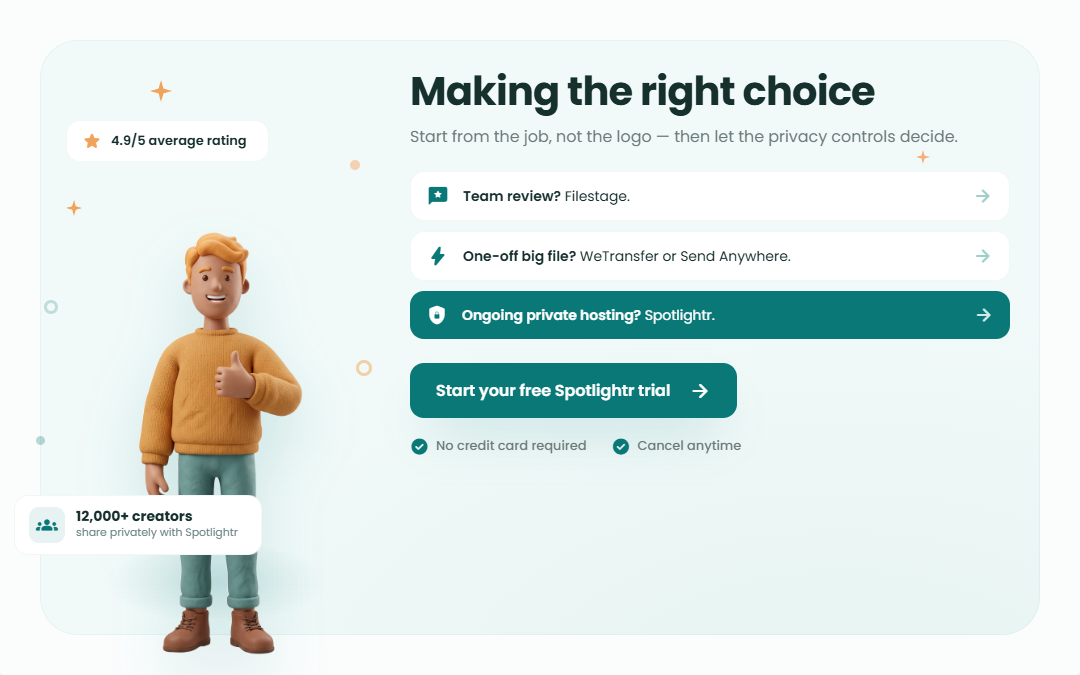
The need for secure and private video sharing that keeps the quality high continues to grow. Platforms like Filestage, WeTransfer, Google Drive, Spotlightr, Dropbox, Send Anywhere, OneDrive, Jumpshare, and Proton Drive each offer unique features and pricing plans to cater to various needs. Whether you prioritize collaboration, simplicity, security, or advanced privacy controls, there is a platform that will meet your requirements.
Choosing the right platform for private video sharing depends on your specific needs and preferences. By considering the features and pricing of each platform, you can make an informed decision that ensures your video files remain safe and accessible only to those you choose. Take control of your digital content with the right secure video sharing platform.
Frequently Asked Questions
What are the best platforms for private video sharing in 2026?
The best platforms for private video sharing in 2026 are Filestage, WeTransfer, Google Drive, Spotlightr, Dropbox, Send Anywhere, OneDrive, Jumpshare, and Proton Drive. These platforms provide a variety of features and pricing options to meet diverse requirements, from simple file transfers to complex collaborative projects.
How does Filestage ensure secure video sharing?
Filestage ensures secure video sharing by offering customizable settings like passwords and expiration dates. The platform also provides timeline-based feedback and version control features to enhance security and manage content effectively throughout the review process.
What are the storage options for Google Drive?
Google Drive provides a free storage option of up to 15 GB, which covers basic needs for most users. Users requiring more space can opt for Google One plans that offer additional storage beyond this limit, with various tiers available depending on storage needs.
How does Send Anywhere ensure the security of video transfers?
Send Anywhere ensures the security of video transfers through end-to-end encryption, which restricts access to the files exclusively to the sender and recipient. This encryption effectively protects files from unauthorized access during the entire transfer process.
What are the benefits of using Proton Drive for video storage?
The benefits of using Proton Drive for video storage include robust end-to-end encryption for enhanced security, along with features such as control over visibility, expiry dates, and password protection for private file sharing. This makes it an ideal choice for users seeking maximum privacy and security in their video storage solutions.
Upload & Share Your Video with Spotlightr
Discover why Spotlightr is the #1 choice for course creators and e-learning professionals.
Register for a free 2 week trial, no credit card required.

Bill is the founder of Spotlightr, a video platform used by course creators, membership sites and marketers who need their video hosted properly rather than uploaded somewhere and hoped for. He writes about instructional video from the inside — what creators actually publish, where students actually stop watching, and what the platforms in this category actually charge. He’s currently building Spotlightr Courses, a course product built around the video rather than bolted on top of it.