

The days of passive learning are over. Interactive eLearning has transformed how we approach online education and training. Instead of scrolling through endless slides and fighting to stay awake, learners are now clicking, dragging, answering questions, and engaging with the content in meaningful ways.
When people participate in their learning, they pay better attention and remember what they’ve learned. For instructional designers and educators, this represents a true shift in what’s possible. You can create everything from quick knowledge checks to complex branching scenarios that adapt based on how learners respond.
This post breaks down 10 interactive eLearning strategies that will help you create training that people want to take.
Understanding Interactive eLearning
Interactive eLearning is learning that responds to you. Instead of just consuming information, you’re making decisions and taking actions as you move through the content. You might be answering questions, manipulating objects on screen, or working through realistic scenarios.
The value comes from active participation. Instead of sitting there watching or reading, you’re doing. This engagement keeps your brain focused and helps information stick better than traditional methods.
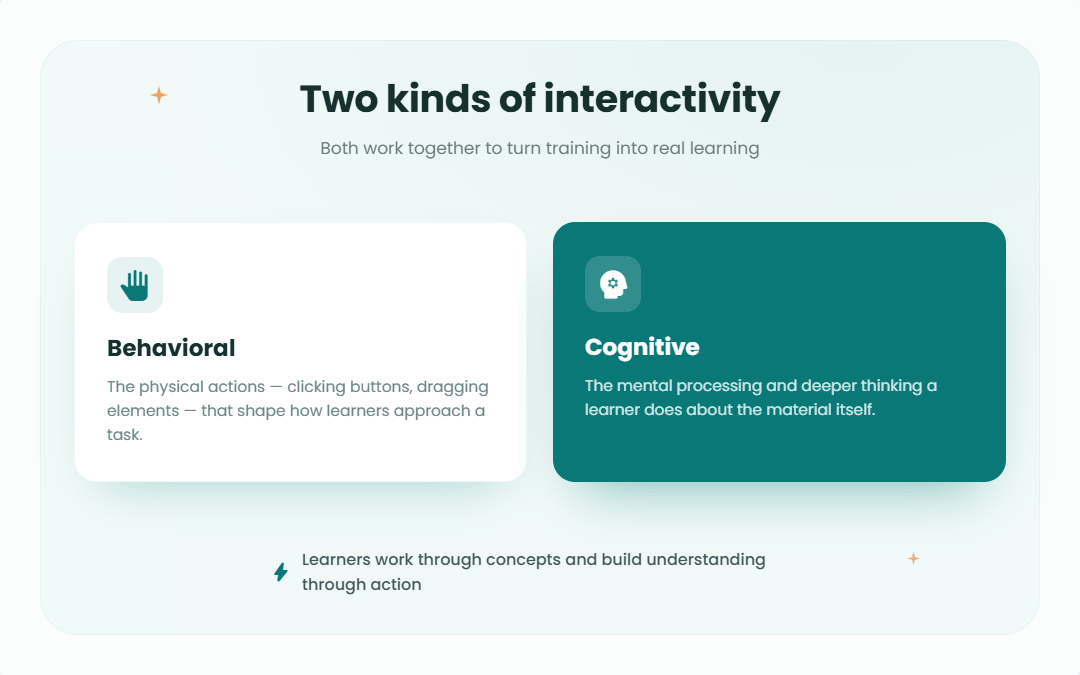
There are two types of interactivity worth understanding. Behavioral interactivity involves the physical actions—clicking buttons, dragging elements around the screen—that might lead you to change how you approach tasks. Cognitive interactivity focuses on mental processing and deeper thinking about the material.
Both types work together to turn standard training into genuine learning experiences. Instead of being lectured at, learners work through concepts and build understanding through action.
Key Benefits of Interactive eLearning
Interactive learning delivers real, measurable benefits that go beyond traditional training methods.
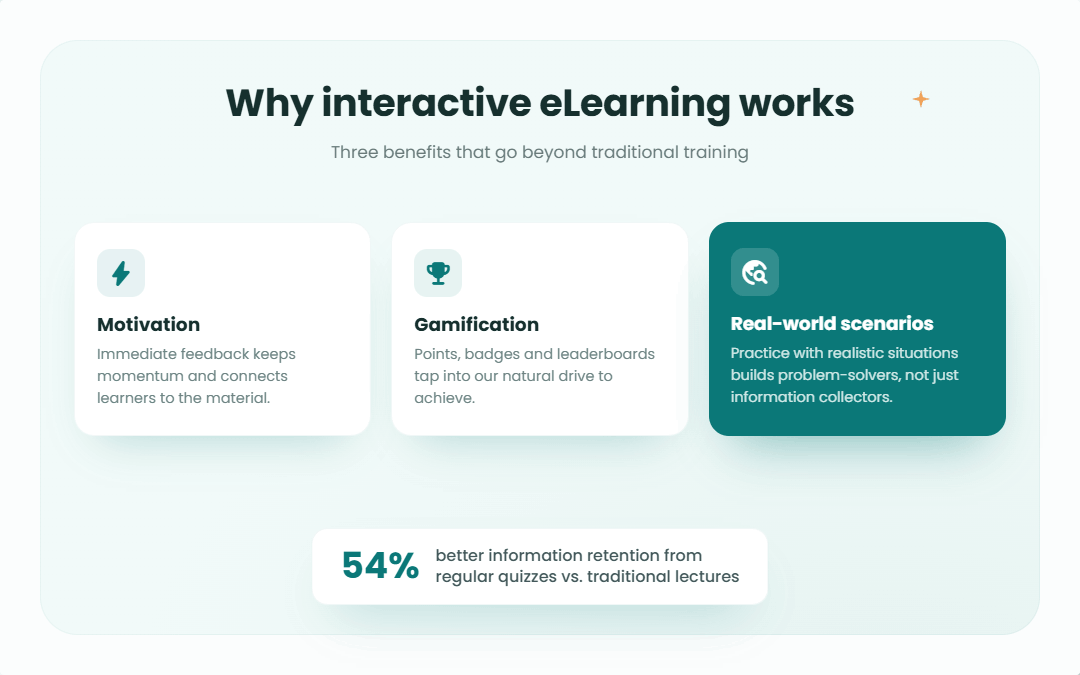
Motivation and Involvement
When you add interactive elements, learners stop feeling like passive observers and start feeling like active participants. This shift changes everything.
– People focus better when they’re engaged in an activity.
– Immediate feedback from quizzes and activities maintains momentum.
– Learners feel more connected to the material rather than detached from it.
Gamification
Adding game elements to learning makes training more appealing. When training feels less like a chore, people are more willing to engage with it.
– The material becomes more approachable and less intimidating.
– Competition and rewards tap into our natural desire to achieve.
– Earning points, unlocking badges, or climbing a leaderboard provides motivation that keeps people engaged.
Real World Scenarios
This is where theory meets practice. When learners encounter situations that mirror their work or life, connections form naturally.
– Links between abstract concepts and concrete applications become clear.
– Learners understand the “why” behind what they’re learning.
– Practice with realistic scenarios builds problem-solvers, versus information collectors.
Enhancing Retention Rates
Regular quizzes can improve information retention by up to 54% compared to traditional lectures. That’s a substantial difference with real impact on learning outcomes.
The effectiveness comes from active engagement with material rather than passive consumption. Your brain has to engage, retrieve information, and apply it. This process creates stronger learning pathways than passive absorption ever could.
AI is taking this further by creating adaptive learning experiences that can modify content based on individual learner performance. Content adjusts in real-time based on performance—providing more practice where needed and moving faster through mastered concepts. This personalization doesn’t just improve retention; it makes learning feel relevant and tailored to individual needs
Fostering Critical Thinking and Problem-Solving Skills
Role-playing exercises and interactive scenarios drop learners into situations that feel authentic. Whether it’s a difficult customer conversation, a technical problem to solve, or a strategic decision to make, these experiences create emotional engagement because they mirror real challenges.
The value of these scenarios lies in safe experimentation. Learners can try different approaches, make mistakes, and see consequences without real-world risk. As they work through these challenges, they build critical thinking skills and develop problem-solving strategies they’ll use beyond the training.
This is where theory becomes practical. When you apply concepts to realistic situations, they stick. That practice transforms knowledge into applicable skill.
Levels of Interactivity in eLearning
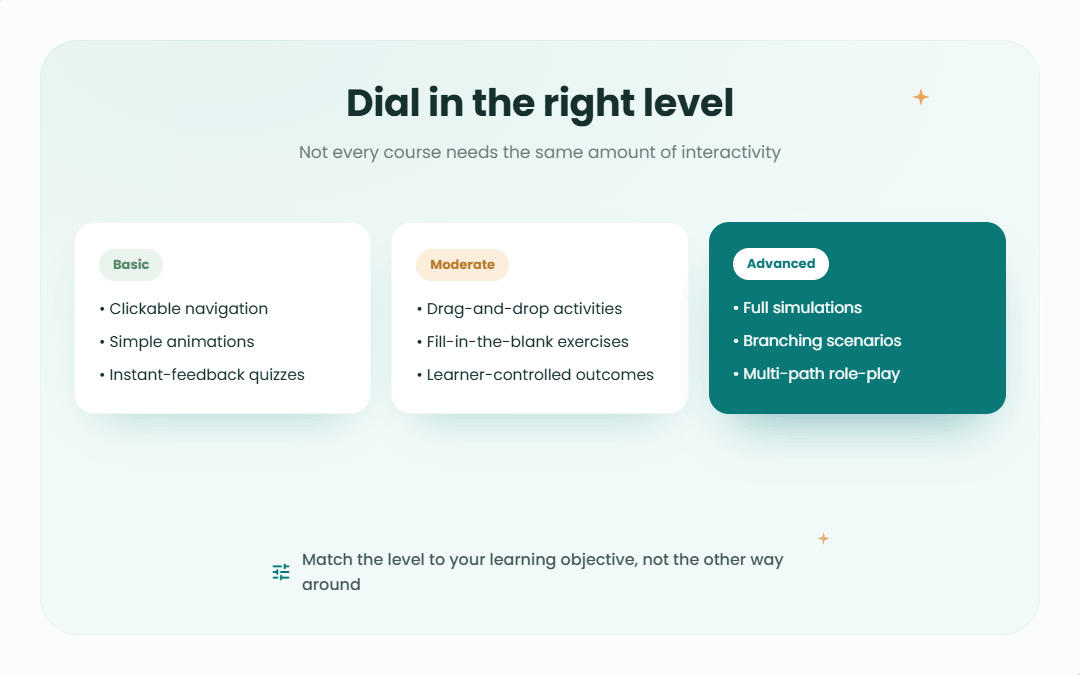
Not every course needs the same level of interactivity. Consider this a dial you can adjust based on your learning objectives.
Basic Interactivity
This is your foundation—simple but effective elements that keep learners engaged without requiring extensive development resources.
What you’ll find here:
– Clickable buttons that navigate through content
– Basic animations that illustrate concepts
– Straightforward quizzes with instant feedback
When to use it: Ideal for delivering core information or foundational training where the goal is clear communication without added complexity.
Moderate Interactivity
This level asks more of learners. Instead of just clicking through, they’re manipulating content and making meaningful choices.
What you’ll find here:
– Drag-and-drop activities that require decision-making
– Fill-in-the-blank exercises that test understanding
– Interactive elements where learners have control over outcomes
When to use it: This level works well when learners need to start applying knowledge rather than just absorbing it. It’s effective for most workplace training scenarios.
Advanced Interactivity
This level creates immersive experiences. We’re talking about complex, customized learning that gives learners significant control and creates deep engagement.
What you’ll find here:
– Full simulations of real-world systems or processes
– Branching scenarios where choices lead to different outcomes
– Role-playing exercises with multiple paths and consequences
When to use it: Deploy this level when you need to develop genuine expertise or prepare people for high-stakes situations. It’s the closest you can get to real experience without being there.
Essential Tools for Creating Interactive eLearning Content
Creating interactive content is more accessible than it used to be. You don’t need to be a developer or have a massive budget. These tools make a real difference.
Interactive Content Creation Tools
Genially is cloud-based and requires no coding knowledge. You can create interactive presentations and infographics with relative efficiency. The interface is intuitive enough that you can focus on content instead of fighting with the software.
Articulate Storyline 360 brings a comprehensive library of ready-made assets. Need a button, an icon, a character, or a background? The library covers most needs, which speeds up design work.
Iorad specializes in step-by-step tutorials. It’s particularly useful for showing people how to use software or follow procedures.
These tools remove technical barriers so you can create professional interactive content without learning complex software first.
Audio and Video Enhancement Tools
Audio and video enhancement tools are vital for improving content quality and learner engagement in eLearning programs. Poor audio or choppy video will damage engagement faster than most other factors.
Descript is a web-based editor that handles both audio and video, and it’s useful for team collaboration since multiple people can work on the same project. The interface is straightforward.
Adobe Premiere Rush and Movavi Video Editor both offer simplified editing environments that maintain a reasonable learning curve. They balance capability with usability, letting you create polished videos without extensive training.
Animation and Storyboarding Tools
Vyond makes animated videos and interactive scenarios accessible to non-animators. The platform is designed so that anyone can create professional-looking animations without extensive technical skills.
Boords helps with planning video projects. Creating storyboards and shot lists helps you think through content before production, which saves substantial time. It also makes team collaboration smoother when everyone can see the plan.
Powtoon is versatile—animated videos, whiteboard animations, screen recordings. It includes script writing, voiceover recording, and character creation, so you can handle the entire production process without switching between different tools.
These animation and storyboarding tools let you create dynamic, engaging content that would have required a production studio not long ago.
Strategies to Implement Interactive eLearning Effectively
Having the right tools matters, but using them strategically to create effective learning experiences is where success happens. Here are the key strategies.
Step 1: Incorporate Gamification Elements
Game mechanics in learning environments work because they tap into human psychology—we like achieving things, we enjoy competition, and we appreciate rewards.
Key elements to include:
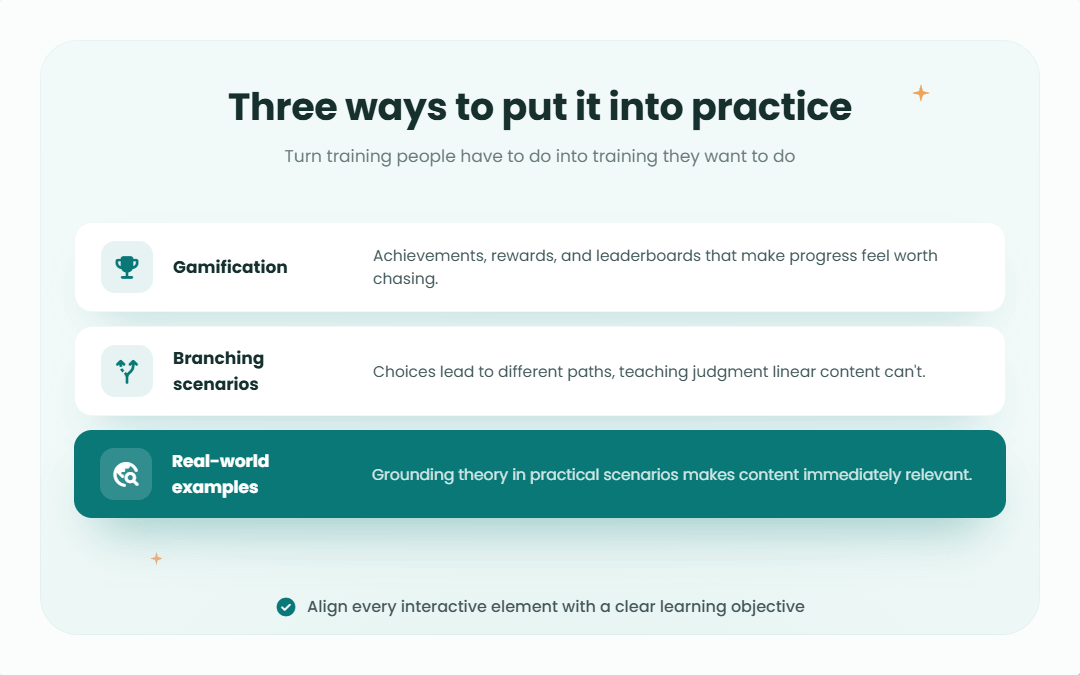
– Achievements that recognize milestones and accomplishments
– Rewards that give learners something to work toward
– Leaderboards that introduce friendly competition
These elements transform training from something people have to do into something they want to do. When learning feels like progress, engagement increases. People push themselves harder and stick with it longer.
Step 2: Utilize Branching Scenarios
Branching scenarios create personalized learning paths. Instead of everyone marching through the same linear content, learners make choices that take them down different routes based on their decisions.
This approach teaches decision-making in ways that linear content cannot. Learners see the consequences of their choices, which builds judgment and critical thinking. They learn what to do and why certain approaches work better than others.
Tools like Genially make building these branching experiences manageable. The result is training that feels tailored and relevant to each person.
Step 3: Leverage Real-World Examples
Abstract theory only goes so far. When you ground learning in real-life scenarios and practical examples, everything becomes more concrete and memorable.
Real-world examples achieve multiple goals at once:
– They show learners the direct application of concepts
– They make content feel immediately relevant instead of theoretical
– They help learners understand not just how to do something, but when and why
When people can see themselves in the scenarios you’re presenting, they engage differently.
The Role of AI in Interactive eLearning
AI is changing how we create and deliver eLearning. The technology makes personalization possible at scale and automates parts of content creation so designers can focus on what matters most. The following subsections explore AI-powered content generation and personalized learning paths.
AI-Powered Content Generation
AI tools can generate adaptive quizzes, create personalized voiceovers, and produce dynamic content that adjusts based on learner needs. Instead of replacing human designers, this expands what they can accomplish.
The time savings are significant. Tasks that used to take hours or days can now happen in minutes. AI-generated content can be tailored to individual learner needs in ways that manual creation never could at scale.
Quizzes that adapt difficulty based on performance, voiceovers that match learner preferences, content that fills gaps—AI makes all of this practical for everyday use.
Personalized Learning Paths
AI-powered personalized learning paths adjust to each learner’s progress, identify knowledge gaps, and adapt the curriculum in real-time to address exactly what they need.
Instead of everyone getting the same experience regardless of their background or performance, the system adjusts challenges and content to match each person’s learning pace and style.
Learners can choose their preferred content formats—some people learn better from videos, others from text, still others from interactive exercises. AI makes it possible to offer all these options and guide each learner through the path that works best for them.
The result: higher engagement, better retention, and training that feels relevant to each individual learner.
Measuring the Impact of Interactive eLearning
Creating great interactive content is just the start. You need to know whether it’s working and whether learners are engaging, understanding, and retaining what they need to learn.
Knowledge Checks and Quizzes
Regular quizzes provide valuable data. Every quiz response tells you something about what learners understand and where they’re struggling.
Frequent knowledge checks serve multiple purposes:
– They show you exactly where comprehension breaks down
– They reinforce learning through retrieval practice
– They identify areas that need improvement before learners move forward
AI takes this further by providing real-time feedback that helps learners set and achieve personalized goals. Learners get immediate course correction rather than waiting until the end to discover gaps in understanding.
Analyzing Learner Data
The real value comes from analyzing how learners interact with your content. AI systems can process this data to identify patterns and insights that would be impossible to spot manually.
What you can learn:
– Which sections of content work well and which don’t
– How different learners respond to different types of interactivity
– Where people get stuck or disengage
– What paths through branching content are most effective
This data lets you customize experiences for individuals and improve overall course design. You can see what’s working, double down on it, and fix what isn’t. The feedback loop between learner data and course improvement creates training that gets better over time.
Overcoming Challenges in Interactive eLearning Development
Creating interactive eLearning comes with challenges. Knowing what to expect and having strategies to address common issues makes the difference between success and frustration.
Managing the Learning Curve
New tools can be intimidating. Whether you’re an educator learning new authoring software or a learner adapting to interactive content, there’s an adjustment period.
Strategies that help:
– Build or join supportive online communities where people can ask questions and share solutions
– Provide clear, step-by-step instructions rather than assuming people will figure it out
– Offer ongoing support beyond initial training
The combination of community support and clear guidance creates an environment where people feel comfortable experimenting and learning. Give people the resources and support they need to get comfortable with new approaches.
Ensuring Accessibility
Interactive content needs to be accessible to everyone, including learners with disabilities. It’s ethically important and often legally required.
Compliance with standards like Section 508 ensures your content works for people using assistive technologies. Accessibility improvements benefit everyone, including those with disabilities. Clear navigation, good contrast, and well-structured content improve the experience across the board.
Key accessibility considerations:
– Screen reader compatibility for visual impairments
– Keyboard navigation for those who can’t use a mouse
– Captions and transcripts for audio and video content
– Clear visual design with sufficient contrast
Building accessibility in from the start is easier than retrofitting it later. Make it part of your design process.
Best Practices for Interactive eLearning Design
Designing effective interactive eLearning requires balancing engagement with usability. These practices produce the best results.
Utilizing Learning Objectives
Every piece of interactivity should serve a purpose. Starting with clear learning objectives gives you a way to evaluate whether each interactive element contributes to what learners need to achieve.
Clear objectives keep you focused and prevent the trap of adding interactivity without purpose. If an interactive element doesn’t help learners meet a specific objective, it’s not worth including.
Storytelling
Stories stick in our minds in ways that facts and bullet points don’t. When you weave learning content into narratives, you create context that makes information easier to understand and remember.
Good storytelling in eLearning accomplishes several things:
– Makes abstract concepts concrete through examples
– Creates emotional engagement that enhances retention
– Helps learners see how different pieces of information connect
You’re delivering information while taking learners on a journey that helps them build understanding.
Updating Content
Nothing damages engagement faster than outdated examples or scenarios that no longer reflect reality. Regular content updates keep your training fresh and relevant.
What to refresh:
– Examples and case studies
– Statistics and data points
– Images and visual elements
– Scenarios to reflect current practices or technologies
The world changes. Your training should keep pace, or learners will tune out when they realize the content doesn’t match their current reality.
Balancing Interactivity and Simplicity
Interactive elements should enhance learning rather than distract from it. More isn’t always better. You need to find the balance where interactivity adds value without creating cognitive overload.
Keys to getting the balance right:
– Mix interactive and straightforward content strategically
– Align every interactive element with learning objectives
– Ensure basic usability with features like keyboard navigation and screen reader support
– Test with learners to see what works and what overwhelms
The goal is accessible, engaging content that helps people learn. Avoid showcasing every interactive technique you know how to implement.
Creating Engaging Learning Experiences that Stick
Interactive eLearning has changed what’s possible in education and training. By incorporating gamification, real-world scenarios, AI-powered personalization, and thoughtful design, we can create learning experiences that people engage with and remember.
The strategies covered here are practical approaches you can start implementing today. Whether you’re creating your first interactive course or improving existing training, these principles will help you create more dynamic and effective learning experiences.
The potential is significant. As tools improve and techniques evolve, interactive eLearning will continue transforming how we learn. The question centers on how to put these approaches to work creating better learning outcomes.
Frequently Asked Questions
What is interactive eLearning?
Interactive eLearning is online training where you’re an active participant rather than a passive observer. You’re answering questions, making choices in scenarios, interacting with simulations, and engaging with gamified elements. It transforms learning from something that happens to you into something you do.
How does interactive eLearning improve learner engagement?
By requiring constant interaction (clicking, choosing, answering, problem-solving), interactive eLearning keeps your brain engaged. When you’re making decisions and seeing consequences, you’re more focused and motivated. The immediate feedback and varied formats maintain engagement throughout the learning experience.
What are some common tools used to create interactive eLearning content?
Popular options include Genially for interactive presentations, Articulate Storyline 360 for comprehensive course development, Nearpod for interactive lessons, and Vyond for animated scenarios. These platforms are designed to be user-friendly, so you can build engaging interactive content without advanced technical skills or coding knowledge.
Can AI enhance interactive eLearning?
Yes. AI personalizes learning by adapting content based on how each person performs, provides instant feedback tailored to individual needs, and can generate interactive content like quizzes and voiceovers. It makes learning more effective and relevant for each individual learner.
Is interactive eLearning suitable for all types of learners?
Yes, and that’s one of its strengths. Interactive eLearning accommodates different learning styles by incorporating videos, text, quizzes, simulations, and more. It also supports self-paced learning, so people can move through material at their own speed. This flexibility works for a wider range of learners than traditional approaches.
How can I get started with interactive eLearning?
Many platforms offer free accounts or trials for experimentation. Start small by adding a few quizzes or simple branching scenarios to existing content. As you get comfortable, incorporate more sophisticated interactive elements. You don’t need to build everything at once; incremental improvements will make a significant difference in engagement.
What are the benefits of incorporating gamified experiences in eLearning?
Gamification taps into our desire for achievement and competition. Points, badges, and leaderboards make training feel less like a chore, which boosts motivation and participation. People tend to engage more deeply and stick with gamified content longer, which leads to better knowledge retention and application.
How do interactive scenarios help learners?
Interactive scenarios create safe spaces to practice real-world decision-making. You can try different approaches, make mistakes, and see what happens without real consequences. This experiential learning builds critical thinking and problem-solving skills in ways that reading about concepts never could.
Does interactive eLearning reduce training time?
Yes. Self-paced interactive eLearning can cut training time by 40% to 60% because learners engage more with content and can skip what they know while focusing on what they need to learn. The efficiency comes from better engagement and the ability to customize the learning path to individual needs.
Is interactive eLearning accessible for learners with disabilities?
When designed with accessibility in mind, yes. Good interactive eLearning includes features like screen reader compatibility, keyboard navigation options, captions for videos, and proper contrast for visual elements. Following accessibility standards ensures that everyone can participate and benefit, which often improves the experience for all users.
Spotlightr Video Hosting For Your Course
Discover why Spotlightr is the #1 choice for course creators and e-learning professionals.
Register for a free 2 week trial, no credit card required.

Bill is the founder of Spotlightr, a video platform used by course creators, membership sites and marketers who need their video hosted properly rather than uploaded somewhere and hoped for. He writes about instructional video from the inside — what creators actually publish, where students actually stop watching, and what the platforms in this category actually charge. He’s currently building Spotlightr Courses, a course product built around the video rather than bolted on top of it.