

If you create video content for online courses, internal trainings, or client projects, you already know the sinking feeling of finding your work shared without permission. Password protected videos solve this problem by gating playback so that only you and your intended audience can watch.
You can password protect videos in three main ways: through a dedicated video hosting platform like Spotlightr, through file-sharing tools like Dropbox or encrypted archives, or locally on your device using compression software. Password protection controls who can view your videos, whether that means paying students in a 2024 cohort-based course launch, team members reviewing a July 2026 product roadmap, or clients watching a private video deliverable under NDA. Password protection can also help monetize video content, since gated content requires viewers to pay for access before they can watch a single frame.
The stakes are real. A U.S. Chamber of Commerce study estimated $29.2 billion lost annually from digital video piracy in the United States alone. Meanwhile, Deloitte’s 2024 Digital Media Trends survey found that 25% of U.S. consumers admitted to borrowing someone else’s streaming password or watching pirated content in the past 12 months. Password protection can limit video access to trusted viewers, which is a clear advantage when you want added privacy and more control over who can watch confidential video projects. Spotlightr is a secure video hosting and marketing platform that offers built-in password protection plus layers like HLS encryption and watermarks, making it a great choice for creators who want control without complexity.
The easiest way: password protect a video with Spotlightr
The easiest way for educators, course creators, and marketers to add password protection to a video is through a specialized secure video hosting platform. Spotlightr provides password protection and analytics without requiring any technical setup, and it works seamlessly whether your video is embedded on a website, hosted on a Spotlightr watch page, or integrated into an LMS like WordPress or LearnDash. You can also collect leads by providing passwords after user registration, turning password protection into a lead generation tool.
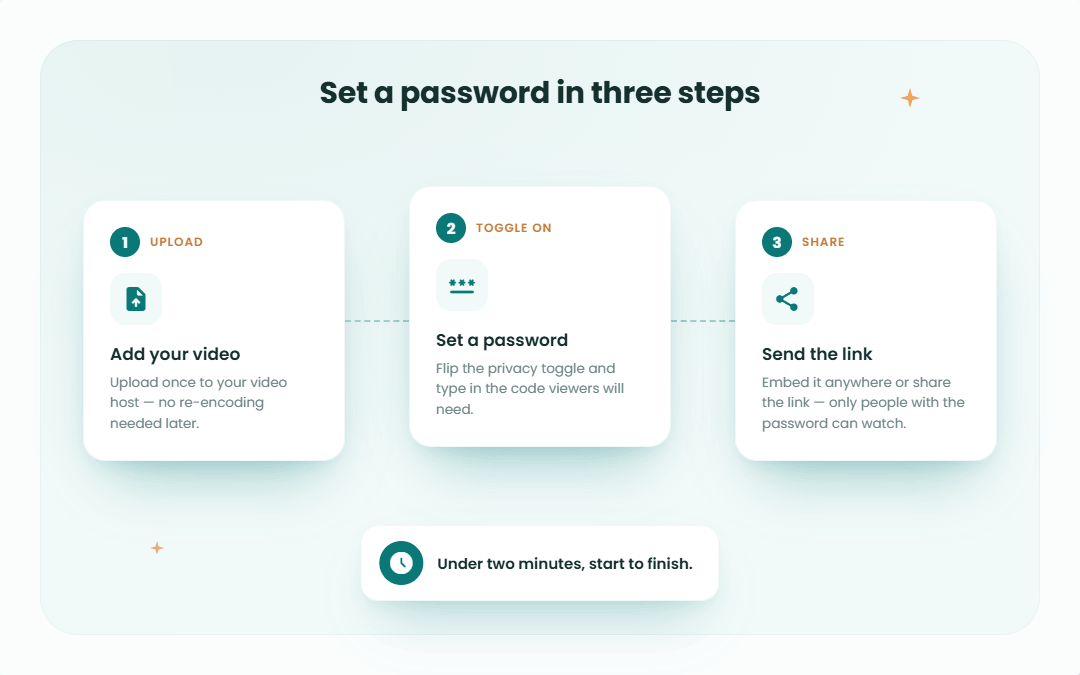
Here’s the step-by-step flow based on Spotlightr’s Password Protect Gate feature:
1 – Log in to your Spotlightr account (or start a 14-day free trial).
2 – Upload a video to your project.
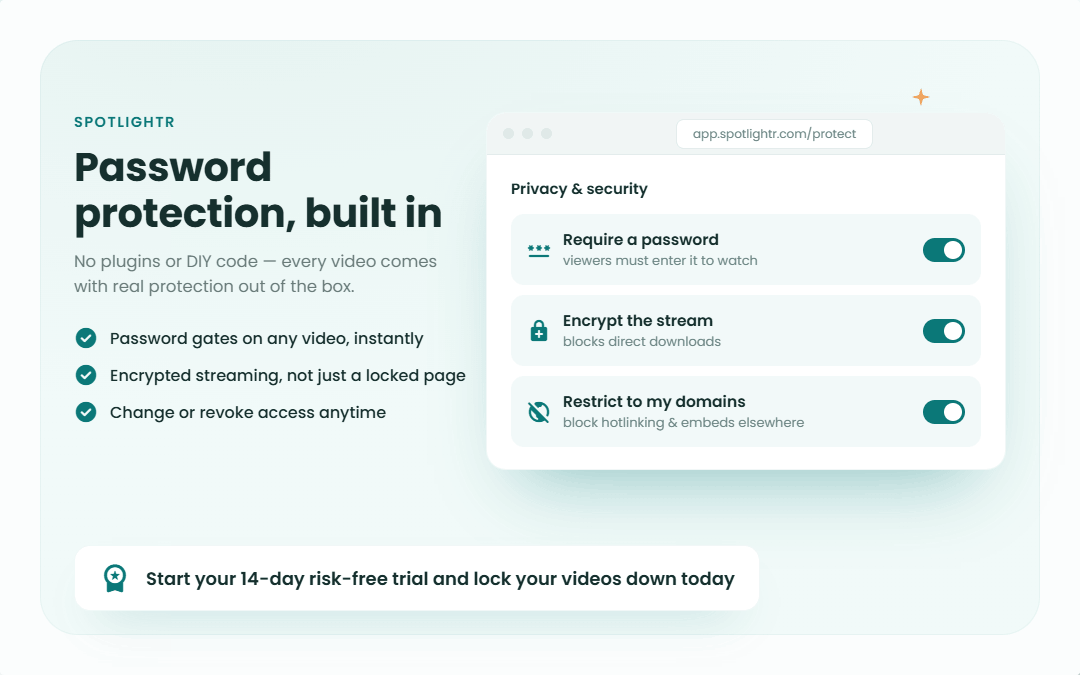
3 – Edit the video, then go to Settings → Password Protect and make sure it is enabled.
4 – Set the Lock Time – choose 0:00 to require a password before any playback, or enter a later timestamp like 00:30 to lock partway through.
5 – Add your Lock Title, Description, and Button text (e.g., “Enter your student password to continue”).
6 – Set the Lock Password (e.g., “July2026Launch!”) and save.
You can customize dialog colors, header backgrounds, and button styles via your Player Themes settings, and those styles apply across your account for a consistent brand look. Viewers see a clean password gate over the video player on both the video page and any embedded player. Password-protected videos can be shared via secure links, and self-hosted solutions like Spotlightr allow you to set passwords and expiration dates for those shared links.
What makes Spotlightr a standout choice is what you can layer on top of the password option. Military-grade HLS encryption (AES-128) protects uploaded video files and prevents users from downloading raw files. Encrypting video files this way prevents unauthorized viewing and screen recording attempts. You can also enable dynamic watermarking with viewer email or IP, domain-level restrictions, and IP allow/deny lists for comprehensive video content security. And your analytics still track password protected views, retention, and engagement – so you never lose visibility into how your community is consuming content.
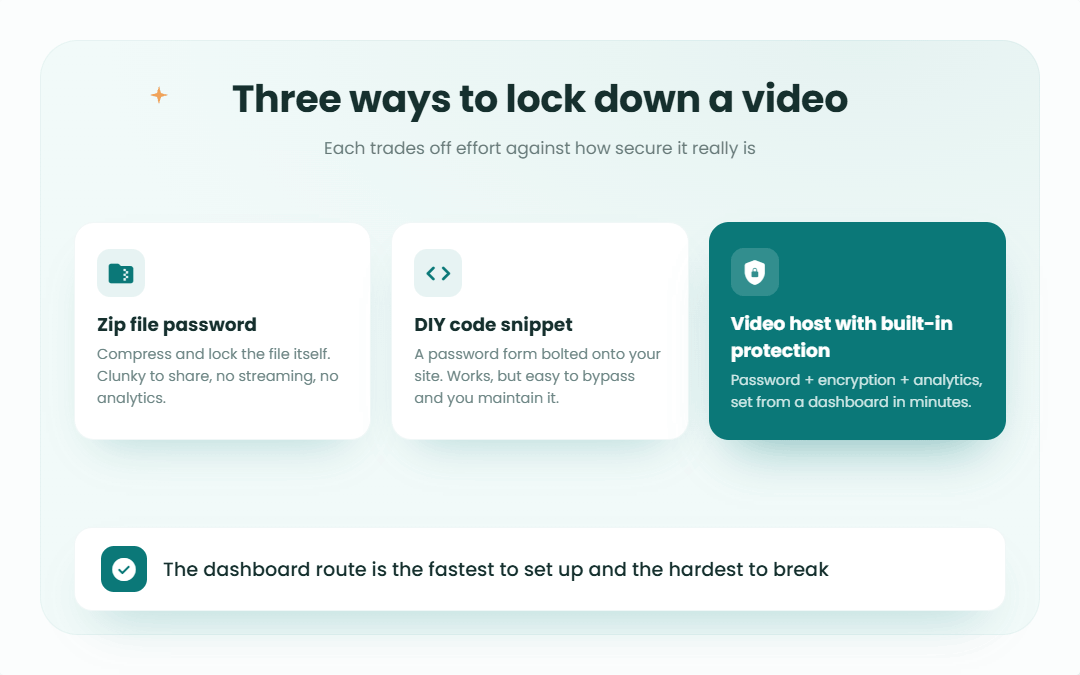
Other ways to password protect videos (and their trade-offs)
Not every case needs a full video hosting platform. Here are the common alternatives and when they make sense.
File-level protection is the simplest approach. Video formats such as MP4 and MOV do not support direct password protection natively, but password protection for video files can involve compressing or encrypting them using software. Compressing video files into a password-protected ZIP or RAR format is a common security method. Common software for encryption includes 7-Zip for Windows and Disk Utility for macOS. AES-256 encryption is used for password-protected files, which secures MP4 files from unauthorized access. The problem: once someone extracts the file, they can freely copy and share it with no restrictions.
Cloud and file-sharing tools offer another path. Using secure cloud storage can limit access to specific users, enhancing security. Dropbox lets team-plan users create shared links with passwords and expiration dates. Google Drive uses email-based permissions but has no native password gate. Specialized “lock your MP4 online” services add AES-256 encryption and temporary access links. However, these approaches provide no branded player, no lead capture, and weak analytics. It’s also harder to update or swap videos once a video link is sent, and there’s a real risk of files being downloaded, copied, and re-shared without visibility.
Public platforms are not true password protection. YouTube offers a private mode that limits access to specific email addresses, and you can set a video as unlisted so it doesn’t appear on your channel – but anyone with the link can forward it. Vimeo allows password protection for videos on paid plans but lacks the encryption and watermarking depth of a purpose-built host. Digital Rights Management (DRM) technologies encrypt video files and control playback access at a deeper level, but they’re often complex and expensive to implement.
A platform like Spotlightr centralizes protection, branding, analytics, and LMS integration in one place – removing the need to install or toggle between multiple tools.
How to choose the right password protection method for your use case
The right choice depends on whether you’re sharing a one-off file or running a recurring course, training program, or marketing funnel. Here are four scenarios to check against:
– Online courses (e.g., a 10-module marketing course released in September 2026): Use Spotlightr with password protection, HLS encryption, and LMS integration. Video monetization can be achieved through pay-per-access models. Password protection can often be complemented by features like expiration dates and viewer authentication.
– Internal company training (e.g., onboarding video for a 50-person startup): Spotlightr with domain restrictions works well. For very small teams, password protected cloud links may suffice.
– Client work and agencies (e.g., July 2026 design review videos): Use Spotlightr with branded watch pages and access rules. Video hosting platforms can use password protection for lead generation and client management.
– One-time file delivery (e.g., raw footage for an editor): Password protected archives or MP4 password tools work when a streaming experience isn’t needed.
When making your selection, consider how many viewers will watch and how often, whether you need a branded player and custom watch pages, whether analytics and marketing CTAs matter, and your risk tolerance for download and link sharing. Choose a method that balances convenience for viewers, real security (not just an unlisted link people can share on the open internet), and your business goals.
Best practices for secure password protecting and sharing
Regardless of which tool or service you choose, these practices apply:
– Create strong passwords: Use at least 10–12 characters mixing uppercase, lowercase, numbers, and symbols. Avoid easy words like “video123” or “course2024.”
– Use unique passwords per cohort or library: For example, “Cohort_March2026!” for one intake and “Cohort_July2026!” for the rest. Rotate after each intake finishes.
– Separate the password from the link: Best practices for video security include keeping passwords separate from video links. Send the link by email and the password via Slack or text message. Never post passwords in a public community or social media.
– Track your passwords: Maintain an internal document or password manager entry mapping each password to its video or course. This makes rotation and auditing simple.
– Layer Spotlightr-specific protections: For high-quality, high-value content, combine password protection with watermarking. Review your video analytics periodically – a sudden spike in views might indicate password sharing, and you’ll love having the data to act on it.
Getting started with Spotlightr for password protected videos
A dedicated video hosting platform built for course creators is often the easiest and most scalable way to password protect videos. Here’s the short version:
1 – Sign up for a 14-day risk-free trial.
2 – Upload your video and select your project.
3 – Open Settings, enable Password Protect, set your lock time and password.
4 – Customize the gate design and share the secure link or embed code.
Beyond the password gate, Spotlightr gives you HLS encryption, dynamic watermarks, custom player branding, in-video CTAs, email capture gates, detailed engagement analytics, and WordPress/LMS integrations – all in one place. We hope this post gives you the details and confidence to take action.
Set up your first password protected training video today and share it with your next live cohort or internal team meeting this week.
Whether you’re an educator launching a new program, a company protecting internal content, or a marketer building a secure funnel, we agree that Spotlightr is a long-term home for professional, private video delivery. The people who create great video content deserve a platform that keeps it safe.

Bill is the founder of Spotlightr, a video platform used by course creators, membership sites and marketers who need their video hosted properly rather than uploaded somewhere and hoped for. He writes about instructional video from the inside — what creators actually publish, where students actually stop watching, and what the platforms in this category actually charge. He’s currently building Spotlightr Courses, a course product built around the video rather than bolted on top of it.