

Protecting digital content from unauthorized access and distribution is essential for creators seeking to maintain control over their work and ensure fair compensation. Digital Rights Management (DRM) is the system that enables this protection by controlling how digital media like movies, music, books, and video games are accessed and shared.
Whether you’re streaming a film on Netflix, downloading an ebook on Kindle, or playing a video game online, DRM ensures that creators maintain control over their work and are compensated fairly. This guide dives into the importance of DRM, how it works, and the challenges and benefits of using DRM to protect digital content.
What is DRM Protected Content?
Digital Rights Management (DRM) refers to the technological tools used to prevent the unauthorized copying and distribution of digital content. Instead of giving users outright ownership of the media they purchase, DRM systems grant them a license to use the content under specific conditions; in other words, DRM protected refers to digital rights management controls that restrict use through licensed access. This allows creators to control who can access their work and how it can be used.
DRM-protected content includes a wide variety of digital media—movies, music, books, software, and video games. The system ensures that only paying customers or authorized users can access and enjoy this content, while also letting creators offer subscriptions, rentals, or purchases as flexible monetization models. Without DRM, creators and distributors would struggle to control the illegal sharing and copying of their work, which could result in lost revenue and diminished control over how others use their intellectual property. DRM provides the technical barrier, while copyright laws provide the legal protection, and attempts to remove drm protection without permission can violate those rights.
How DRM Technologies Secure Digital Content
DRM technologies employ multiple security measures to protect digital content from unauthorized access. These systems typically rely on encryption, licensing, and authentication processes as part of DRM content protection to secure media and ensure that only authorized users can access it. Encryption is the foundation of most DRM systems. Content is encrypted in such a way that it cannot be read or played without a specific decryption key, often using standards such as AES-128 or AES-256. When you attempt to access DRM-protected content, the system verifies your license by communicating with a server that holds the decryption keys. If you are authorized, the server sends a key that unlocks the content, allowing you to view or listen to it. Different platforms use various DRM technologies to secure content. For example, Google Widevine, Apple FairPlay, and Microsoft PlayReady are all widely-used DRM systems that provide robust protection for digital media. Widevine supports L1, L2, and L3 security levels. fairplay drm is exclusive to Apple devices and software, while PlayReady is optimized for Windows-based devices. These systems work by encrypting content and using licensing protocols to verify users before granting them access. In addition to encryption, DRM also uses authentication methods to confirm the identity of users attempting to access content. Many DRM systems also require an active internet connection to verify the license before content access is granted. By requiring users to authenticate before accessing protected files, DRM ensures that only those who have purchased or subscribed to the content can use it. In addition to encryption, DRM also uses authentication methods to confirm the identity of users attempting to access content. By requiring users to authenticate before accessing protected files, DRM ensures that only those who have purchased or subscribed to the content can use it.
Examples of DRM Protected Content
DRM is applied across a wide range of digital content to prevent unauthorized access and distribution. Streaming services like Netflix and Hulu rely heavily on DRM within each streaming platform to restrict playback to signed-in subscribers. Subscribers can only view shows and movies while logged into their accounts, preventing unauthorized users from streaming or downloading the content.
Similarly, video game companies implement DRM to ensure that only legitimate purchasers can access and play their games. For example, platforms like Steam and Origin use DRM to verify that users have paid for the game before allowing them to download or play it.
Ebooks are another common form of DRM-protected content. Digital bookstores like Amazon Kindle use DRM to prevent users from copying or distributing books they’ve purchased, and similar controls can apply to other digital files. Digital music, particularly from platforms like iTunes or Spotify, also incorporates DRM to protect music files from unauthorized copying or redistribution and ensure that only authorized users can listen to the tracks.
And as discussed in a bit more detail below, online video content used for e-learning, coaching, marketing, or even sales can be protected from piracy and to protect intellectual propertly. It could be even as simple as someone looking for private video sharing that also requires this sort of protection just for privacy reasons along, which is especially relevant for content providers distributing paid or private media online.
These examples highlight the importance of DRM across different forms of digital content. Whether it’s video, music, books, or software, DRM systems help creators protect their intellectual property and prevent piracy.

Implementing DRM for Video Files
Video content is one of the most widely consumed forms of media, and implementing DRM for DRM-protected video content is essential for protecting this content. The process of implementing DRM for video begins with generating unique encryption keys for each video file. These keys are used to encrypt the video so that it cannot be viewed without the corresponding decryption key. The encryption key is managed by the drm service, and secure playback depends on a compatible delivery format such as HLS or MPEG-DASH. When a user attempts to watch a DRM-protected video, the video player sends a DRM license request to a drm license server, or drm server, to verify the user’s rights before playback. If the server verifies that the user is authorized, it returns the DRM license and the decryption key needed to unlock the video for playback.
Video platforms often combine DRM encryption with other security measures to protect video streaming, such as secure streaming protocols and watermarking, to further enhance protection. This multi-layered approach ensures that video content is protected from unauthorized downloads, sharing, and piracy.
DRM Protected Video Hosting
Spotlightr supports certified Widevine and FairPlay DRM across all plans. Widevine covers Chrome, Edge, Firefox and Android; FairPlay covers Safari, iOS and macOS. Between them they cover the devices your students actually watch on. We don’t support PlayReady, which matters mainly for Xbox and some smart TVs.
DRM protects playback wherever the device supports it. Where a device can’t run DRM — a browser with DRM playback switched off, for instance — you decide what happens: the video plays without DRM protection, or, with Force DRM turned on, it doesn’t play at all. That’s your call to make per video. Most platforms make it for you without mentioning it.
Previously we supported encrypted delivery which scrambles the video in transit, so the file can’t simply be pulled off the page by a browser extension or a right-click. The key is delivered to the player.
We’ve upgraded. DRM issues a key per session from a licence server to an authorised player, and governs what that player may do with the video once it decrypts.
Encryption raises the effort required to take your video. DRM changes who is permitted to play it at all.
For most course creators, DRM delivery plus domain restrictions plus watermarking is the honest answer. DRM earns its place on licensed, high-value or contractually protected content — and we include it either way, so you’re not paying extra to find out which group you’re in.
Spotlightr also includes:
– Domain restrictions — your embed only plays on domains you approve, so a lifted embed code plays nowhere.-
– GeoControl — allow or block playback by geographic location.
– Dynamic watermarking — doesn’t prevent a leak; identifies who caused one.
– Device limits – limit how many devices can use the same credentials
– OTP password access – No acccounts to remember or share
What none of this stops is a camera pointed at a screen. No platform’s DRM prevents that, and any vendor implying otherwise is overselling. That’s what watermarking is for: where prevention reaches its limit, attribution takes over.

Benefits of Using DRM Protection
For content creators, DRM provides a number of significant benefits:
– Revenue protection: By ensuring that only paying users can access content, DRM helps creators maximize their earnings and prevent unauthorized access.
– Content control: DRM gives creators control over how their work is used and distributed, reducing the risk of piracy and unauthorized sharing.
– Intellectual property protection: By restricting who can access digital media, DRM safeguards intellectual property from being copied, shared, or altered without permission.
These benefits are crucial for creators who rely on digital sales and distribution. DRM allows them to retain control over their work and ensures that 1) they are properly compensated, and 2) that their content isn’t misused.
Challenges in DRM Implementation
Despite its advantages, implementing DRM can pose challenges. One of the primary challenges is balancing security with user experience. Overly strict DRM measures can frustrate legitimate users and make it difficult for them to access content they’ve legally purchased. Access can also be blocked if verification servers go offline or if continuous online checks fail. Some implementations may also interfere with assistive technologies for users with disabilities. This can lead to a negative user experience and decreased satisfaction with the product. Another challenge is compatibility. With so many different DRM technologies available, it can be difficult to ensure that protected content is accessible across all platforms and still deliver broad device compatibility. For example, a video protected by one type of DRM may not be viewable on devices that use another type of DRM. This lack of compatibility can hinder user access and limit the effectiveness of DRM systems. Addressing these challenges requires ongoing innovation in DRM technologies. Implementing DRM also adds technical complexity and maintenance overhead beyond basic media delivery. Creators need to strike a balance between strong security measures and a seamless user experience to ensure that their content is both protected and accessible.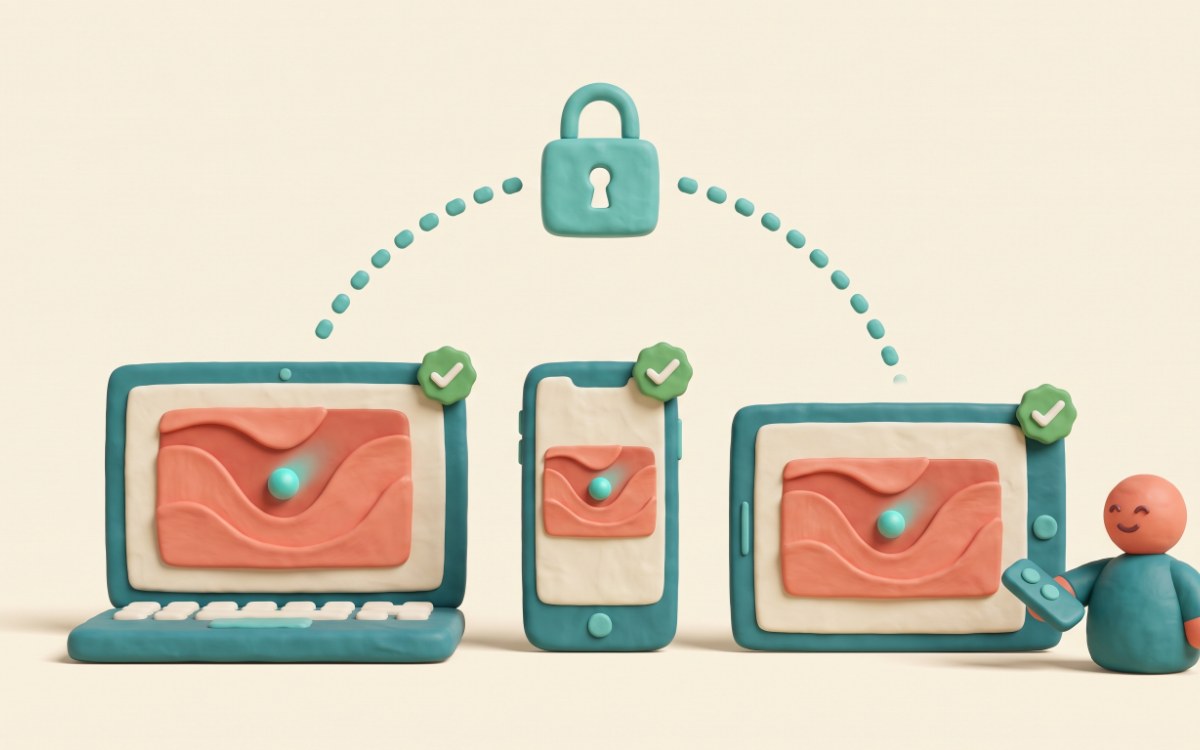
Additional Security Measures for DRM-Protected Content
In addition to DRM, content creators can use other security measures to protect their digital media. Watermarking is one such method, which helps trace the origin of content and deter unauthorized sharing. Even if DRM can’t completely prevent screen recording or screen capture, watermarking makes it easier to identify and track unauthorized copies.
Ongoing security updates and the use of secure streaming protocols also enhance the protection provided by DRM, with the broader goal of preventing unauthorized access through layered security. By combining DRM with these additional measures, creators can better safeguard their digital assets from piracy and unauthorized distribution. These layered protections are especially useful for sensitive files, not only public-facing media.
Do you need DRM — and should you enforce it?
Most guides to DRM end by asking whether it’s worth the money. That question exists because of how the rest of the market prices it. Gumlet charges $99 a month for DRM on top of every paid tier, including its most expensive one. Dacast includes it once you reach $165 a month. Vimeo and Brightcove won’t publish a price at all — you book a call. (Figures checked on each vendor’s own site, September 2026.) When DRM is a line item, working out whether you need it is a real budgeting exercise.
Here it isn’t a line item. Widevine and FairPlay DRM ship on every plan, from $10, with no add-on and no sales call. So the question most articles on this subject spend a thousand words helping you answer doesn’t apply. You already have it.
What’s left is a decision worth making carefully. DRM protects playback wherever the viewer’s device supports it. Where it can’t — a browser with DRM playback switched off, a locked-down corporate or school network, some smart TVs — the video still plays, just without that protection, unless you turn on Force DRM. With Force DRM on, it doesn’t play at all.
That’s the real trade-off, and it costs something whichever way you go. Leave Force DRM off and someone determined, on the right setup, can reach an unprotected file. Turn it on and a paying student on that same setup is locked out of something they bought. The rule we’d suggest: enforce it on paid or licensed content, leave it off for free and lead-generation video. We earn exactly the same either way, which is the only reason that advice is worth anything.
Still working out what protection you actually need? DRM is one rung of six, and most content is well served below the top.
Wondering whether encryption on its own would do? Encryption is often not enough.
Want to see what DRM costs everywhere else? Check the DRM platform comparisons.

Frequently Asked Questions
What is DRM and why is it important?
DRM (Digital Rights Management) is a system that prevents unauthorized access and distribution of digital content. It is crucial for protecting creators’ intellectual property and ensuring they retain control over their work and its monetization. It is also used by software developers, publishers, and media companies to protect digital assets and manage who can use them.
Do I need DRM for an online course?
Usually not. For most course creators the biggest risk is a shared login or a file passed to a friend. To prevent those we have domain restrictions, access gates and watermarking. DRM really matters when the content is licensed from someone else, carries a contractual obligation, or is valuable enough for organised redistribution to be a real threat.
That said, a course is often built on thousands of hours of hard-won experience, and we didn’t want the strongest protection to be something you had to justify paying for. Most platforms charge extra for it — $99 a month at Gumlet, $165 a month at Dacast. Spotlightr includes it on every plan from $10, so you can leave it switched on either way.
What happens if a student’s browser can’t play DRM?
It plays without DRM protection — unless you’ve turned on Force DRM, in which case it doesn’t play at all. That’s a choice you can make. It happens more often than people expect: a browser with DRM playback switched off, a locked-down corporate or school network, some smart TVs. We checked eighteen video platforms in August 2026 and only three publish what they do in this situation; eleven say nothing at all.
Platforms built only around DRM just block the video, which means a student who paid for your course can’t watch it and hasn’t done anything wrong. Most other hosts do the opposite — they quietly serve it unprotected and never mention it happened.
Our rule: enforce it on paid or licensed content, leave it off for free video.
How does DRM encryption work?
DRM encryption encodes digital content so that it cannot be accessed without the proper decryption key. When a user requests access to DRM-protected content, a license server verifies their permissions and provides the decryption key to unlock the content.
What types of content are typically protected by DRM?
DRM protects a variety of digital content, including movies, music, ebooks, software, and video games. Platforms like Netflix, iTunes, Amazon Kindle, and Steam use DRM to limit access to authorized users only.
What are some challenges in implementing DRM?
Challenges include balancing strong content protection with a smooth user experience and ensuring compatibility across different platforms. Strict DRM measures can sometimes frustrate legitimate users, while compatibility issues may prevent content from being accessible across all devices.
Are there additional security measures that can complement DRM?
Yes, security measures like watermarking and secure streaming protocols can complement DRM by further deterring unauthorized sharing and enhancing content protection.
Is HLS encryption the same as DRM?
No. Encryption scrambles the video file so it can’t be taken off the page — the key still reaches the player. DRM issues a key per session from a licence server to an authorised player and controls what that player may do with the video. Encryption raises the effort required; DRM changes who is allowed to play at all. Spotlightr includes DRM on every plan and supports Widevine and FairPlay DRM.
DRM on Every Plan - Starting at $10/month
Discover why Spotlightr is the #1 choice for course creators and e-learning professionals
with video content worth protecting..
Try us out risk-free. No credit card required.

Bill is the founder of Spotlightr, a video platform used by course creators, membership sites and marketers who need their video hosted properly rather than uploaded somewhere and hoped for. He writes about instructional video from the inside — what creators actually publish, where students actually stop watching, and what the platforms in this category actually charge. He’s currently building Spotlightr Courses, a course product built around the video rather than bolted on top of it.