

As video becomes a bigger part of how teams communicate, keeping that content secure matters more than ever. Password-protected video hosting gives you a simple way to control who can watch your videos, making sure sensitive or private content doesn’t end up in the wrong hands. Instead of relying on public links, you decide exactly who gets access.
In 2026, various platforms offer different approaches to secure video hosting, from detailed analytics and marketing tools to locked-down livestreams and WordPress-friendly setups. This guide breaks down the strongest options, what each platform does well, and how to choose the right one based on how you plan to use video.
Top Password Protected Video Hosting Platforms for 2026
Secure video hosting isn’t one-size-fits-all. Some platforms focus on analytics and viewer insights, while others lean into marketing tools. What they all have in common is the ability to lock down your content so only approved viewers can access it.
For 2026, a few platforms consistently stand out: Spotlightr, Wistia, Jetpack VideoPress, Vidyard, and Dacast. Each offers password protection as part of a broader set of tools, giving you different ways to manage access, track engagement, and control how your videos are shared.
Spotlightr
Spotlightr is a strong option if you want tight control over who can access your videos without giving up insight into how people watch them. Password protection is easy to set up, and you can layer it with other privacy controls to keep content limited to the right audience.
One of Spotlightr’s strengths is visibility into viewer behavior. You can see how long people watch, where they drop off, and how individual videos perform over time. That makes it a solid choice for teams using video for training or gated content. Pricing is flexible, with plans that scale from smaller publishers to larger organizations, and there’s a trial window if you want to test it before committing.
Check our live applet and test our password protection here: https://spotlightr.com/project/password-protect-videos/
Wistia
Wistia is built for teams that use video as part of their marketing or customer communication. Password protection works alongside more advanced access controls, so you can decide exactly who sees what. You can also manage users by role, which helps when multiple people are uploading or managing content.
Beyond security, Wistia stands out for how much it helps you understand performance. Built-in analytics show engagement trends, viewer behavior, and how videos support larger goals like conversions or sign-ups. It also includes a native editor and customizable players, which makes it easier to keep videos on brand. For businesses that want secure hosting without separating video from marketing strategy, Wistia is a reliable choice.
Jetpack VideoPress
Jetpack VideoPress is a natural fit for anyone already running a WordPress site. It lets you upload, manage, and protect videos directly from your WordPress dashboard, which keeps everything in one place. Adding password protection or limiting access to logged-in users is straightforward, without extra tools or workarounds.
Because it’s built for WordPress, VideoPress plays nicely with themes, pages, and the media library you already use. It doesn’t try to be an all-in-one marketing platform, but for site owners who want private, secure video hosting that feels native to WordPress, it does the job well.
Vidyard
Vidyard is designed for teams that use video as part of sales, marketing, or internal communication. Password protection is built in, along with other access controls like single sign-on and IP restrictions, which helps keep sensitive content limited to the right viewers.
Where Vidyard really stands out is in how it connects video to business outcomes. You can see who watched, how long they stayed, and how videos influence engagement or pipeline activity. With CRM integrations and simple editing tools, Vidyard works well for teams that need secure hosting and clear insight into how video supports their work.
Dacast
Dacast is a solid choice if secure livestreaming is part of your workflow. In addition to password protection, it offers token-based security and paywall controls, which helps prevent unauthorized sharing and access. These features make it well suited for live events, internal broadcasts, and private video libraries.
The platform also gives you a centralized dashboard to manage videos, playlists, analytics, and access settings in one place. For organizations that need both on-demand hosting and controlled live streaming, Dacast provides a structured, security-first setup without making content management overly complex.
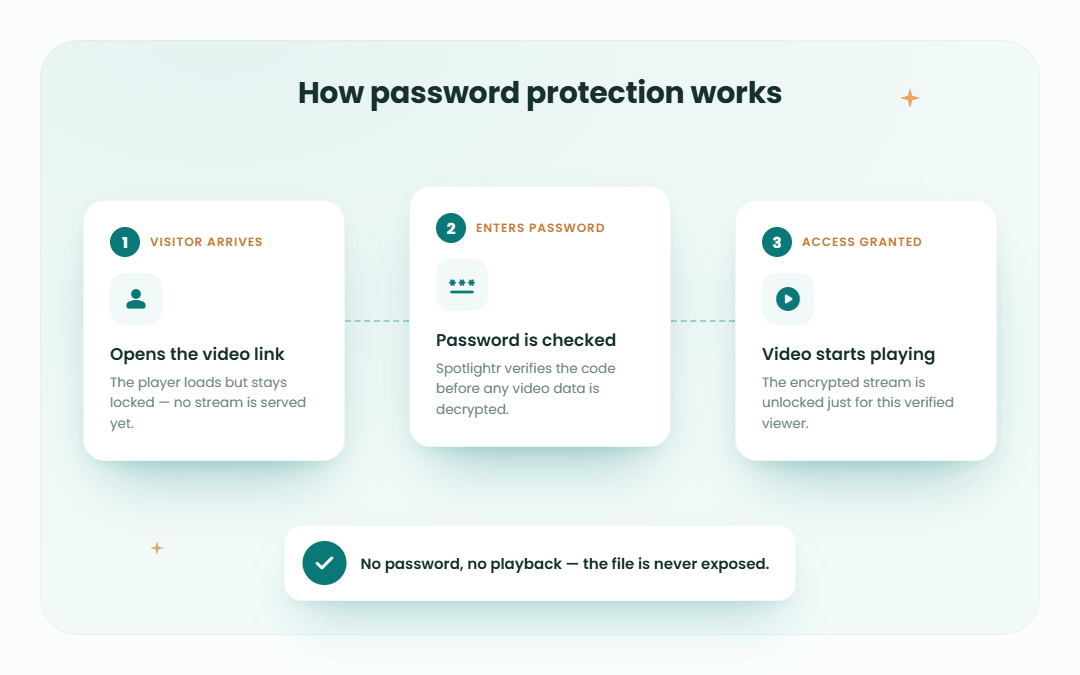
Comparing Password Protected Video Hosting Platforms
Once you look past the feature lists, the real differences between these platforms come down to focus and fit. Some are built for marketers, others for internal teams, and a few are better suited for live or event-based content. Pricing also varies quite a bit, depending on whether you need storage, bandwidth, analytics, or integrations.
– Spotlightr balancing affordability with password protection, high-level security and encryption, as well as deep analytics and access control. Works in all LMS platforms as well as WordPress sites and LMS plugins.
– Jetpack VideoPress keeps costs low and works best for those who want to use a WordPress tool.
– Wistia and Vidyard cost more, but they offer deeper insights and tools that tie video to business goals.
– Dacast leans into livestreaming and structured content management, which makes it a stronger option for events or regulated environments.
The right choice depends less on “best overall” and more on how you plan to use video day to day. Matching the platform to your workflow will save you time and frustration later.
Essential Features for Secure Video Hosting
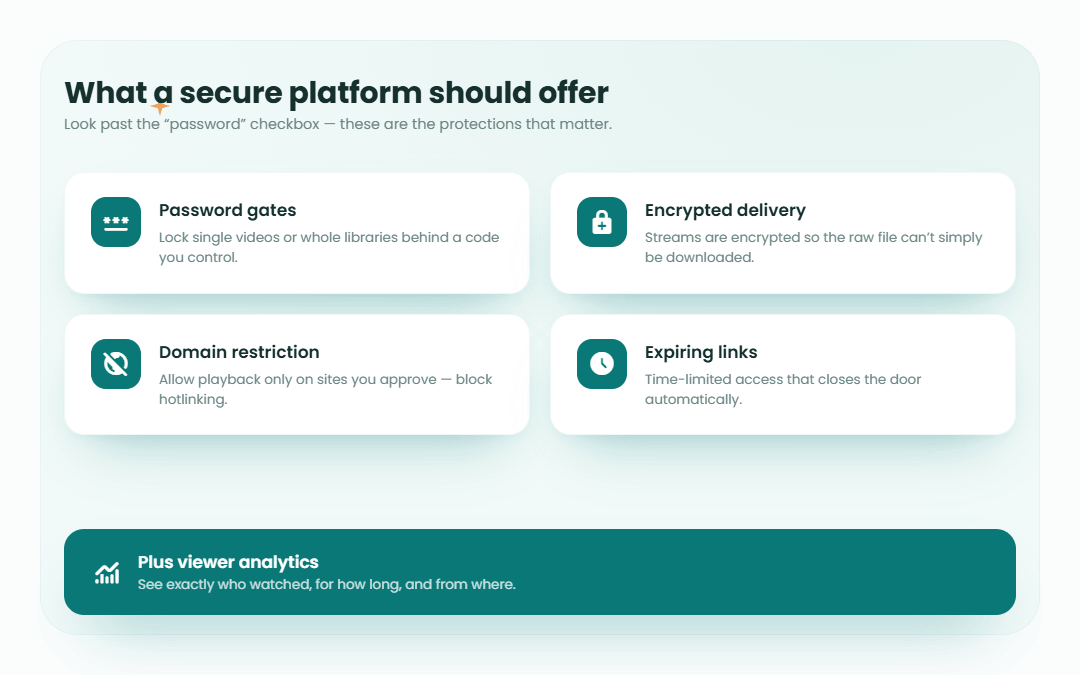
Password protection is the starting point, but secure video hosting goes further than that. The best platforms combine multiple layers of protection so you can control access, monitor activity, and keep sensitive content from spreading beyond its intended audience.
Strong security features include encryption during playback, role-based access so only the right people can manage or view content, and options to limit where and how videos can be shared. Many platforms also offer analytics and audit logs, which help you see who’s watching and flag unusual activity.
When these features work together, they give you confidence that your videos are protected without creating friction for viewers. Knowing what to look for makes it easier to choose a platform that fits your security needs without overcomplicating your workflow.
Robust Security Measures
At the core of any password-protected video platform is how well it protects your content. Strong security starts with encryption, which keeps videos protected while they’re being streamed so they can’t be intercepted or accessed improperly.
Most platforms also use role-based access controls, which let you decide who can upload, manage, or view videos. That’s useful when multiple people are involved and not everyone needs the same level of access. Some tools also support single sign-on, so viewers can use existing credentials instead of managing yet another login.
Together, these safeguards make it easier to share video internally or with a limited audience without worrying about links being passed around or content ending up where it shouldn’t.
Customizable Privacy Settings
Privacy controls are what turn basic video hosting into secure video hosting. Password protection is the most obvious option, but many platforms go further by letting you decide exactly where and how a video can be accessed.
Some tools allow domain restrictions, so videos only play on approved websites. Others offer geographic limits, which can block access from certain regions if needed. These settings are useful when content needs to stay within a specific group, organization, or location.
Customizable players are part of this, too. Being able to control how a video looks and behaves helps keep the experience consistent with your brand while still keeping access locked down. When privacy settings are flexible, you can protect content without making it harder for the right people to watch.
Detailed Analytics and Reporting
Security isn’t just about locking a video behind a password. It’s also about knowing what happens after access is granted. Analytics and reporting tools help you see who’s watching, how long they stay, and which videos get the most engagement.
Many platforms track viewing activity at both the account and video level, giving you a clearer picture of how content is used. Some also provide audit logs, which show when and how a video was accessed. That’s helpful when passwords are shared with multiple viewers and you need visibility into usage.
These insights don’t just support security. They also help you improve content over time, spot gaps in engagement, and make informed decisions about how videos are shared and managed.
Benefits of Using Password Protected Video Hosting
Password protection does more than keep videos private. It gives you control over how content is shared, who can see it, and how it’s experienced. For teams working with sensitive information or paid content, that control matters.
Secure access helps protect internal materials, customer data, and proprietary knowledge from being shared unintentionally. At the same time, password-protected platforms often offer cleaner playback, fewer distractions, and better performance than public video sites. That combination makes videos feel more intentional and more professional.
There’s also a compliance angle. Limiting access to the right viewers helps organizations meet privacy and data protection requirements without adding extra tools or complicated workflows. When security, usability, and compliance align, video becomes easier to manage and safer to share.
Enhanced Content Security
The most obvious benefit of password-protected video hosting is knowing your content isn’t wide open. Adding a password creates a clear boundary around videos that contain sensitive, internal, or paid material. Only viewers with the right credentials can access them, which reduces the risk of accidental sharing.
Many platforms also let you monitor how videos are viewed after access is granted. Seeing when a video is watched or replayed can help you spot unusual activity early. That added visibility makes it easier to stay ahead of potential issues while keeping content available to the people who need it.
Improved User Experience
Keeping videos private doesn’t mean making them harder to watch. Password-protected platforms often deliver a cleaner viewing experience than public video sites. There are no ads, no suggested content pulling attention away, and fewer distractions overall.
Load times and playback tend to be more consistent, which matters when videos are used for training, onboarding, or client communication. Many platforms also let you customize the video player so it matches your brand and fits naturally into your site or portal. When access is controlled and the experience feels intentional, viewers are more likely to stay focused on the content itself.
Better Compliance
Password-protected video hosting also supports compliance with privacy and data protection requirements. When access is limited to approved viewers, it’s easier to keep sensitive information from being shared beyond its intended audience.
Many platforms provide audit logs or access records that show who viewed a video and when. That visibility can be useful for internal reviews or compliance reporting. In regulated industries like healthcare, finance, or education, these controls help organizations meet standards without adding extra systems or manual oversight.
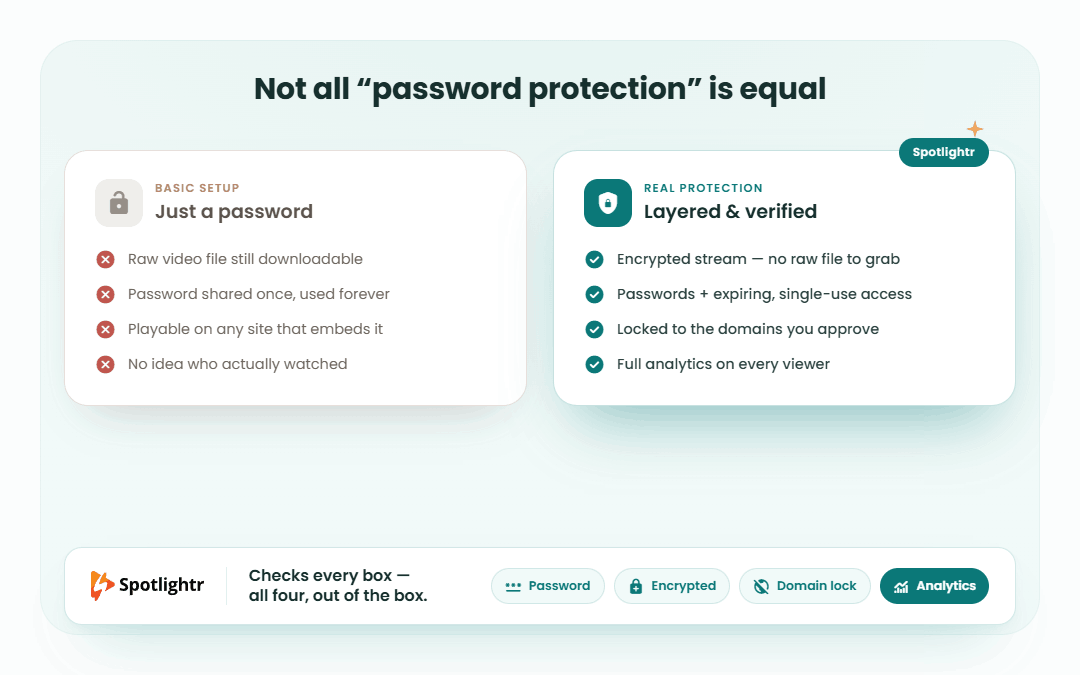
Use Cases for Password Protected Videos
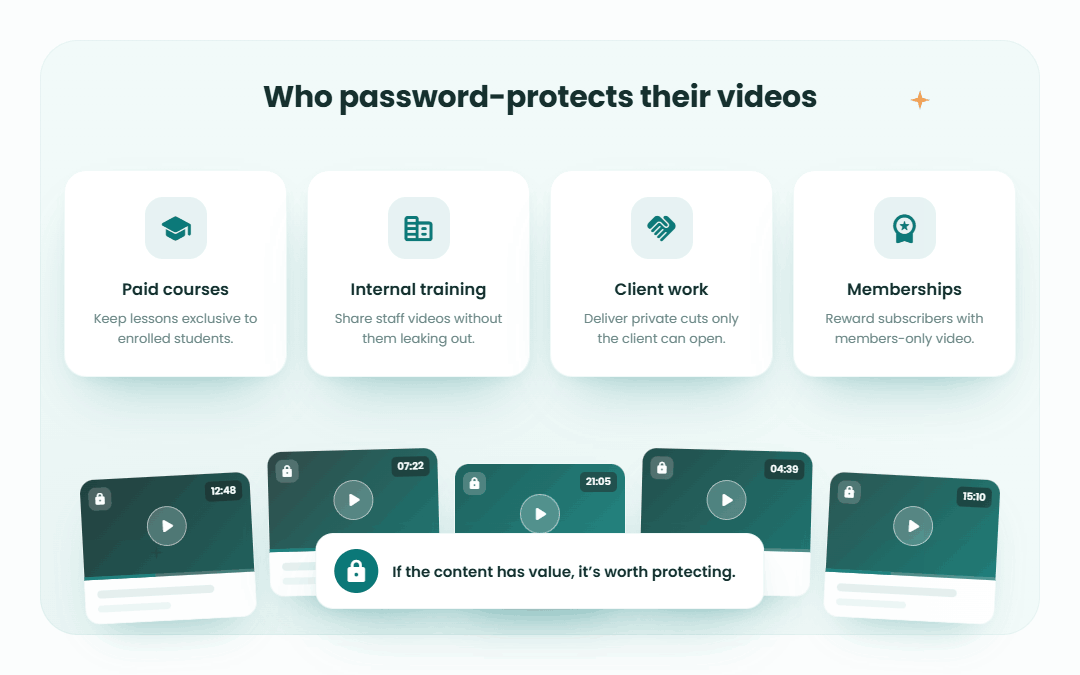
Password-protected video hosting shows up in more places than you might expect. Any time video includes private information, paid material, or internal communication, limiting access becomes important. These platforms make it easier to share content confidently without worrying about links being passed around.
From employee training to online courses to patient education, secure video hosting helps organizations use video without compromising privacy. Below are a few common scenarios where password protection plays a key role.
Corporate Training and Internal Communications
Many companies rely on video and online learning for onboarding, training, and internal updates. Password protection makes it possible to share this content without exposing it outside the organization. Training materials, product walkthroughs, and internal announcements stay limited to employees or approved partners.
Using secure video hosting also helps keep communication consistent. Teams can revisit recordings when needed, and leadership can share updates without relying on live meetings. When access is controlled, video becomes a reliable tool for internal communication rather than a risk.
Educational Institutions
Schools and universities use password-protected video hosting to share lectures, course materials, and recorded sessions with enrolled students. This keeps educational content limited to the right audience while supporting flexible, on-demand learning.
Secure hosting also allows institutions to offer paid courses or certificate programs without making content publicly accessible. Instructors can upload lessons once and reuse them across semesters, while students get reliable access without distractions or ads. For education settings, controlled access supports both privacy and continuity.
Healthcare
In healthcare, video often includes sensitive information, which makes secure access non-negotiable. Password-protected video hosting allows providers to share training materials, internal updates, and patient education videos without risking exposure.
These platforms also support compliance with privacy regulations by limiting who can view content and by keeping records of access. For telehealth, staff training, or internal communications, secure video hosting helps healthcare teams use video confidently while protecting patient trust and data.
Steps to Implement Password Protected Video Hosting
Setting up password-protected video hosting doesn’t have to be complicated. Most platforms follow a similar flow, and once it’s in place, managing access becomes part of your normal workflow. The key is choosing a platform that matches your needs, then taking a few deliberate steps to lock things down properly.
From selecting the right provider to controlling who can view or manage content, these steps help make sure your videos stay secure without adding unnecessary friction for viewers or admins.
Choosing the Right Platform
The first step is figuring out what you need from secure video hosting. Think about how your videos will be used, who needs access, and whether you’re sharing on-demand content, live streams, or both. Some platforms focus on marketing and analytics, while others are better suited for internal teams or WordPress-based sites.
It’s also worth considering how easy the platform is to manage. Look for clear access controls, reliable playback, and support if something goes wrong. If video is part of a larger system, integrations with tools you already use can make day-to-day management much easier. Choosing a platform that fits your workflow upfront saves time later.
Setting Up Password Protection
Once you’ve chosen a platform, adding password protection is usually straightforward. Most tools let you apply a password at the video level, so you can decide which videos need restricted access and which don’t.
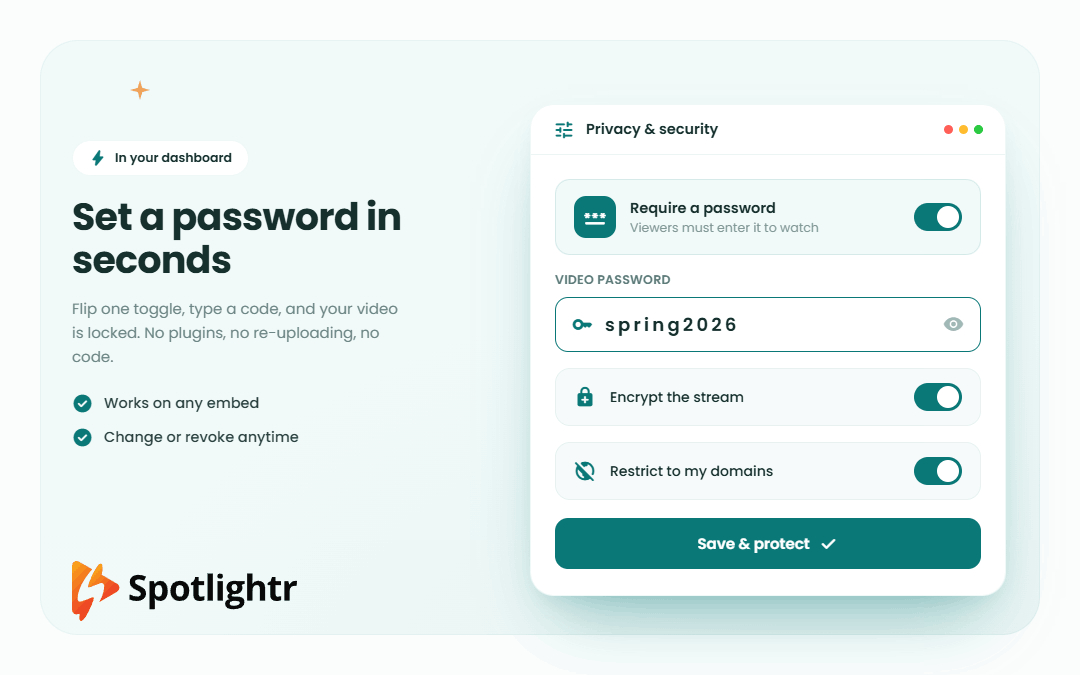
You’ll typically select the video, open its privacy or security settings, and set a password that viewers must enter before playback starts. Some platforms also let you change or remove passwords at any time, which is helpful if access needs to shift or expire. Taking a few minutes to configure these settings upfront adds an important layer of protection without complicating the viewing experience.
Check our live applet here: https://spotlightr.com/project/password-protect-videos/
Managing Access and Permissions
Password protection works best when it’s paired with thoughtful access management. That means deciding who should be able to view videos, who can edit them, and who can manage settings. Many platforms let you assign roles so access stays limited without slowing teams down.
It’s also important to be intentional about how passwords are shared. Keeping them within the intended group and updating them when access changes helps maintain security over time. Some platforms include audit logs or viewing records, which give you visibility into how content is accessed. With the right permissions in place, secure video hosting stays manageable instead of becoming a maintenance burden.
In Summary
As video continues to play a larger role in how organizations communicate, train, and educate, keeping that content secure matters. Password-protected video hosting gives you a straightforward way to control access without sacrificing usability. Instead of relying on public links, you decide who can watch and how your videos are shared.
Platforms like Spotlightr, Wistia, Jetpack VideoPress, Vidyard, and Dacast each approach secure hosting a little differently. Some prioritize analytics and marketing insights, others focus on livestreaming or tight CMS integration. The right choice depends on how you use video, who needs access, and how much control you want over privacy and performance.
With the right platform and a few intentional setup steps, password-protected video hosting becomes a practical, reliable way to share content confidently while keeping sensitive material where it belongs.
Frequently Asked Questions
What is password-protected video hosting?
Password-protected video hosting lets you restrict access to videos so only people with the correct password can watch them. It’s commonly used for private, internal, or paid content.
Why should I use password protection for videos?
Password protection helps keep sensitive or proprietary content from being shared publicly. It also gives you more control over who can view videos and supports privacy and compliance requirements.
Which platforms offer password-protected video hosting?
Several platforms support password protection, including Spotlightr, Wistia, Jetpack VideoPress, Vidyard, and Dacast. Each offers different tools depending on whether you’re focused on marketing, internal use, or live streaming.
Can viewers share the password with others?
They can, which is why many platforms pair password protection with analytics, audit logs, or access controls. These tools help you monitor usage and update passwords when needed.
Is password protection enough for sensitive content?
For many use cases, yes. For higher-risk content, password protection works best alongside additional controls like domain restrictions, role-based access, or single sign-on.
Spotlightr Video Hosting For Your Course
Discover why Spotlightr is the #1 choice for course creators and e-learning professionals.
Register for a free 2 week trial, no credit card required.