

If you sell video content online, someone is probably already trying to steal it. Screen recording tools, credential sharing, Telegram channels dedicated to pirated courses – the threat is real, and it’s growing. Video watermarking gives you a way to fight back by making every leak traceable and every pirate identifiable.
This guide walks you through exactly how watermarking technology works, when to use visible versus invisible approaches, and how to layer watermarking with encryption and access control so your revenue stays protected.
Key Takeaways
>> Video watermarking embeds a unique identifier in video files, enabling content owners to trace pirated content back to a specific viewer, session, or account. Digital watermarking is now a standard protection layer for anyone monetizing courses, training, or paid communities.
>> Watermarking does not replace encryption or digital rights management. It complements them. DRM and encryption stop casual theft; watermarks handle the harder problem of deliberate leaks, screen recording, and credential sharing.
>>A multi-layered approach combines forensic watermarks with dynamic visible watermarks for best protection. Modern forensic watermarking stays detectable even after re-encoding, resizing, basic editing, or reposting to social networks and file-sharing sites.
>> Watermarks work best alongside other protections such as DRM. Spotlightr combines DRM (Widevine and FairPlay), a viewer watermark, domain restrictions and device limits in a single dashboard built for educators and marketers.
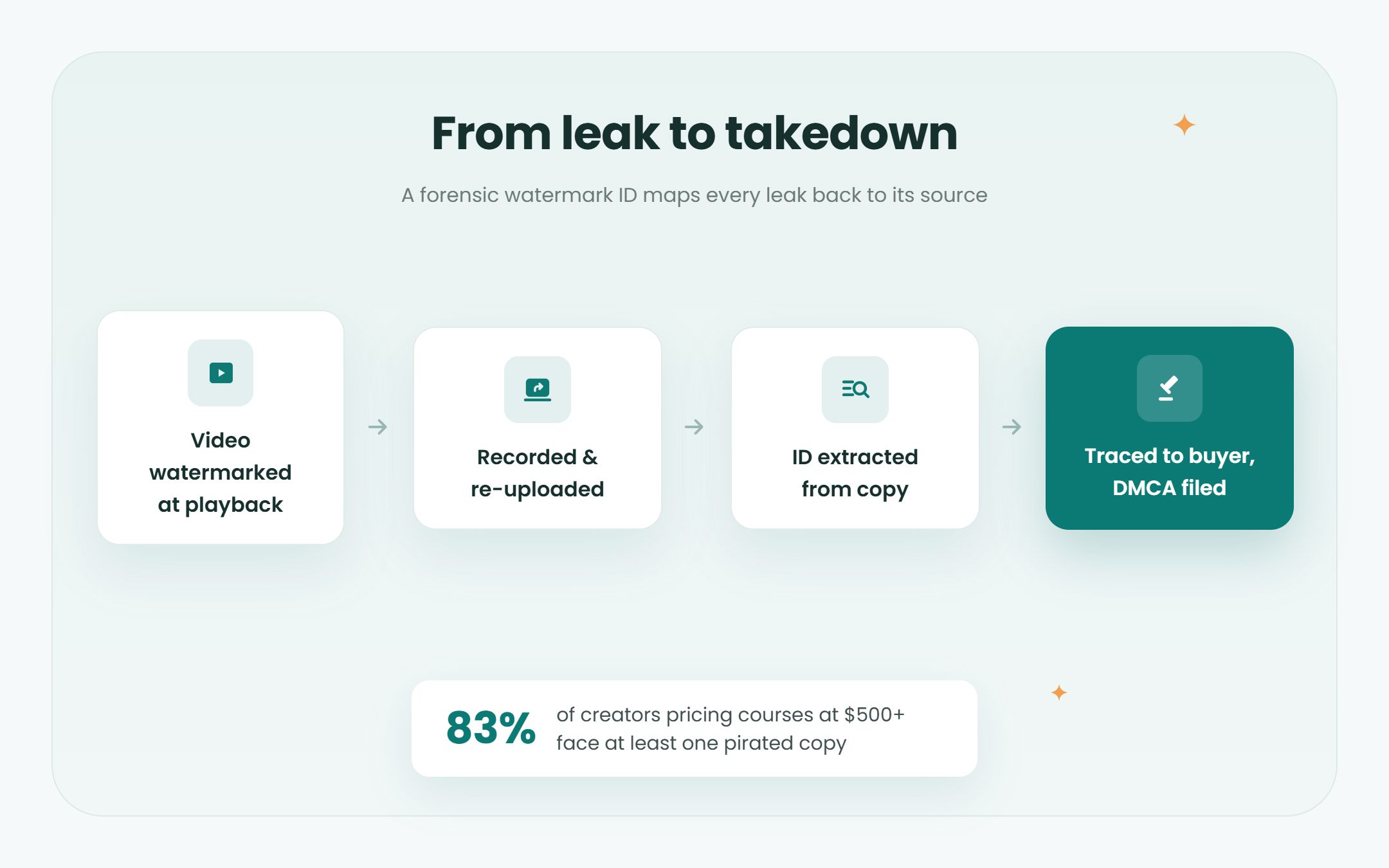
>> For courses priced at $500 or more, 83% of creators face at least one pirated copy online. Watermarking technology is crucial for protecting high-value content at that price point.
What Is Video Watermarking and Why It Matters for Piracy Prevention
Video watermarking is the process of embedding visible or invisible identifiers directly into a video stream or file to prevent piracy and trace leaks. Think of it as a fingerprint baked into the content itself – one that stays with the video no matter where it ends up, on someone’s hard drives, a Telegram channel, or a torrent site.
The terminology can get confusing, so here is what matters. Digital watermarking is the broad category: embedding data into media. Video watermarking is specifically about video files. Dynamic watermarking refers to visible marks that change position or content per session, making them harder to crop out. Forensic watermarking is the most advanced method – invisible, session-specific marks designed to survive transcoding, compression, and even screen capture, so law enforcement agencies or rights holders can trace a leak back to its source.
Why does this matter right now? Because traditional protections have a blind spot. Encryption and DRM control who can access and play your content, but once someone is watching, nothing stops them from hitting a screen recorder. Watermarking fills that gap. It addresses post-decryption piracy – the kind that happens after a legitimate viewer decides to share what they paid for. A recent study on Telegram piracy found that 1,057 channels distributed roughly 19,000 unique copyrighted titles, accumulating 4.85 billion views and an estimated $17.49 billion in losses to rights holders.
Watermarking can act as a psychological deterrent against theft. Visible watermarking essentially works as that deterrent, while embedded watermark data helps detect piracy after a leak occurs. When a buyer knows their email or user id is embedded in the video, most people think twice before uploading it.
Here are the main business benefits:
– Deterrence: raises the perceived risk for would-be pirates
– Traceability: maps a leak back to a specific buyer or account
– Legal evidence: supports DMCA takedowns and legal action
– License compliance: enforces terms like “personal use only”
How Digital Watermarking Works (Visible, Invisible, Dynamic, Forensic)
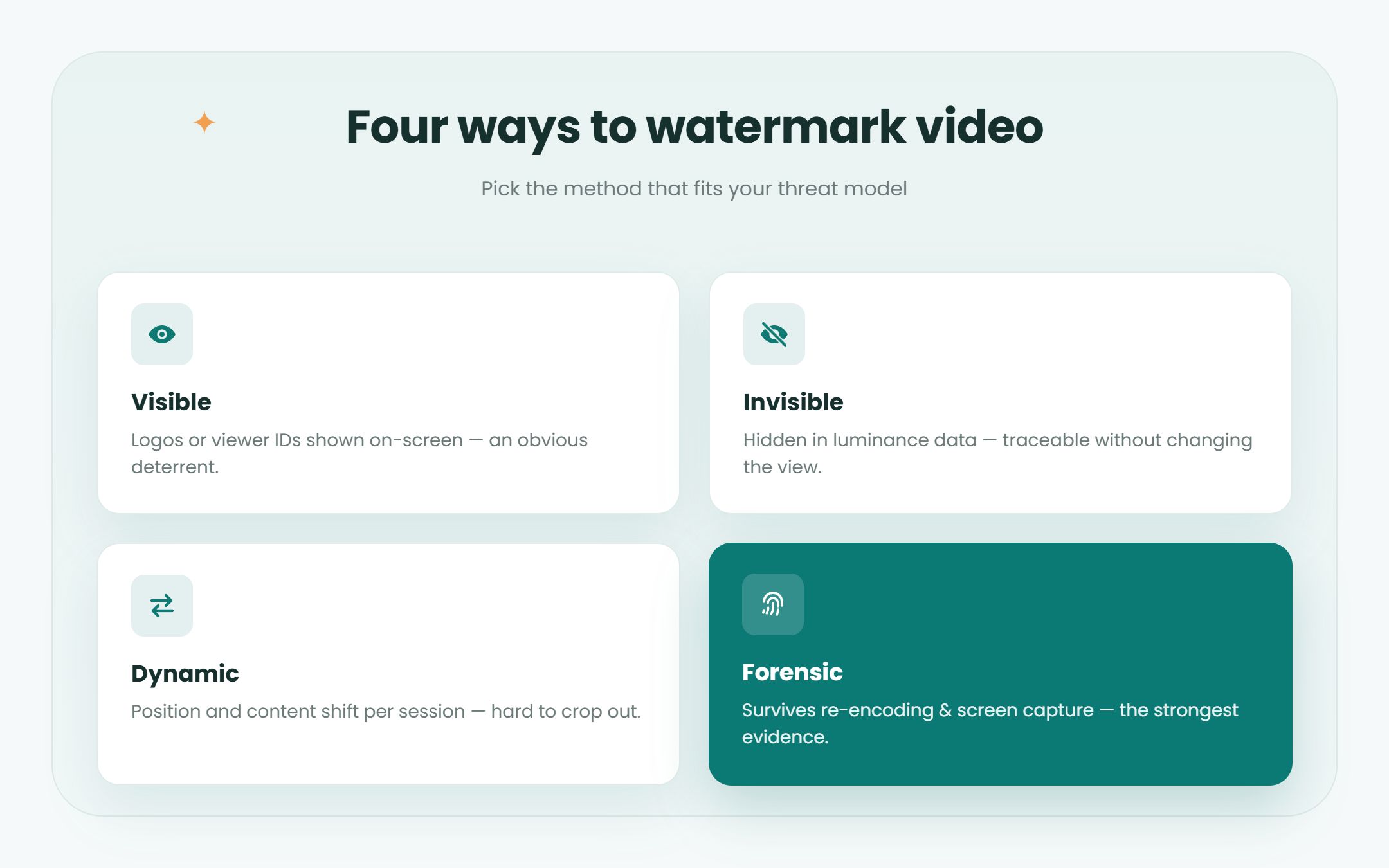
At a high level, watermarking modifies video data – altering frames, frequency-domain information, or metadata – without noticeably changing perceived quality. The method you choose depends on your threat model, budget, and how much you want the viewer to be aware of the watermark.
– Visible watermarks display logos, user identifiers, or moving overlays directly on the video during playback. They are impossible to miss, which is the point. Visible watermarks can discourage casual sharing of content because the viewer’s name or email is literally on screen. Frame-by-frame shifting watermarks make cropping or blurring difficult since the overlay moves to a new position every few seconds.
– Invisible watermarks are hidden in the luminance or color information of the video signal. They remain undetectable to the naked eye while ensuring traceability. Invisible watermarking allows tracking of unauthorized content distribution without affecting the viewing experience at all.
– Dynamic watermarking overlays viewer-specific details onto the video in real time. The watermark changes per session or over time – for example, showing a different position, timestamp, or contact info every few minutes. Dynamic watermarks are harder to remove consistently without damaging the video.
– Forensic watermarking embeds hidden data directly into the video’s pixels or metadata in a way that is hard to remove and session-specific. Forensic watermarks survive compression and transcoding, making them reliable even when pirates re-encode or resize the source file. This is the method streaming platforms and studios have adopted since roughly 2022 to identify exactly which subscriber leaked movies or a training module.
Here is a simplified example workflow: a platform generates a unique watermark ID for a specific viewer when playback begins. If pirated content appears online later, the rights holder extracts the embedded ID and maps it back to the original account. Watermarking can remain intact even after content modifications like basic filters or resolution changes.
How Watermarking Helps Prevent Piracy in Real Scenarios
The piracy methods course creators and video businesses face in 2024–2026 are straightforward: screen recording during playback, credential sharing so multiple people use one login, ripping HLS streams with browser extensions, and re-uploading material to Telegram, Google Drive, or torrent sites after each upload spreads another copy. Honestly, the tools to do this are free and easy to find.
Watermarking does not physically stop someone from hitting “record.” What it does is make leaks personally attributable, increase the perceived risk for would-be pirates, and simplify enforcement by providing technical proof of source. That combination changes the math for anyone considering unauthorized distribution.
Scenario 1: Premium course leak. A course creator sells a $497 program. Within weeks, pirated content surfaces on a warez site. Because the platform used forensic watermarking, the creator extracts the embedded identifier and traces it to a specific buyer. Forensic watermarking can identify users responsible for content leaks, and at that point the creator can pursue a refund clawback, account suspension, or DMCA takedown.
Scenario 2: Corporate compliance training. A company provisions employees with access to internal training videos. An employee shares the material externally. Per-employee dynamic watermarks display each viewer’s name and date on screen, so internal security can identify who leaked it. Personalized watermarks increase accountability for content distribution in exactly this kind of scenario.
Scenario 3: Paid webinar recording. A virtual summit host records sessions and offers them to ticket holders. Someone uploads the recording to YouTube. The visible email watermark on screen discourages further sharing – and gives the host evidence to issue a takedown. Watermarking technology helps identify sources of leaked content even after the video has been re-uploaded across platforms.
Watermark IDs also support DMCA takedown notices by proving both ownership and distribution path without requiring the creator to reveal personal data publicly. The distinction worth making: preventing downloads stops casual theft, but preventing piracy requires traceability. Watermarking handles the second problem.
Best Practices for Using Video Watermarking Effectively
Watermarking must be configured thoughtfully to combat piracy without annoying your paying customers. The wrong setup – too large, too opaque, or too static – can hurt the viewing experience and drive complaints. The right setup protects your content while keeping learners focused.
For visible watermarks:
– Place watermarks away from the very edge and move them periodically to resist cropping
– Visible watermarks should be semi-transparent to remain unobtrusive while still readable
– Include user-specific identifiers such as email, user id, or company name for accountability
For invisible watermarks:
– Enable per-stream or per-user IDs where supported
– Maintain logs that map watermark IDs to viewers and dates
– Periodically test extraction on sample files to confirm the watermark survives encoding
– Require login or SSO so each view is tied to a specific profile
– Show user-bound dynamic watermarks during sessions to deter screen recording
– Rely on invisible forensic watermarking for deep investigations when leaks occur
Combining visible branding with invisible tracking provides strong safeguards for intellectual property. Regular monitoring for unauthorized copies can help limit their spread – don’t wait for someone to tell you your content was stolen.
For educators specifically: in cohort-based courses, watermark live sessions with student name and date. For evergreen funnels, enable dynamic watermarks during every playback session. For corporate LMS deployments, use forensic watermarking to ensure leaks are traceable. And always inform students in your terms of use that sessions are watermarked to protect intellectual property, and that sharing or reuse requires permission.
Quick setup checklist:
1 – Identify which videos in your library are high-risk (high price, exclusive material)
2 – Enable visible dynamic watermarks with viewer-specific data
3 – Add invisible forensic watermarking where your platform supports it
4 – Configure access control: login, domain restrictions, IP rules
5 – Set up a detection and takedown workflow so you can respond fast
Beyond Watermarking: Layered Protection for Your Intellectual Property
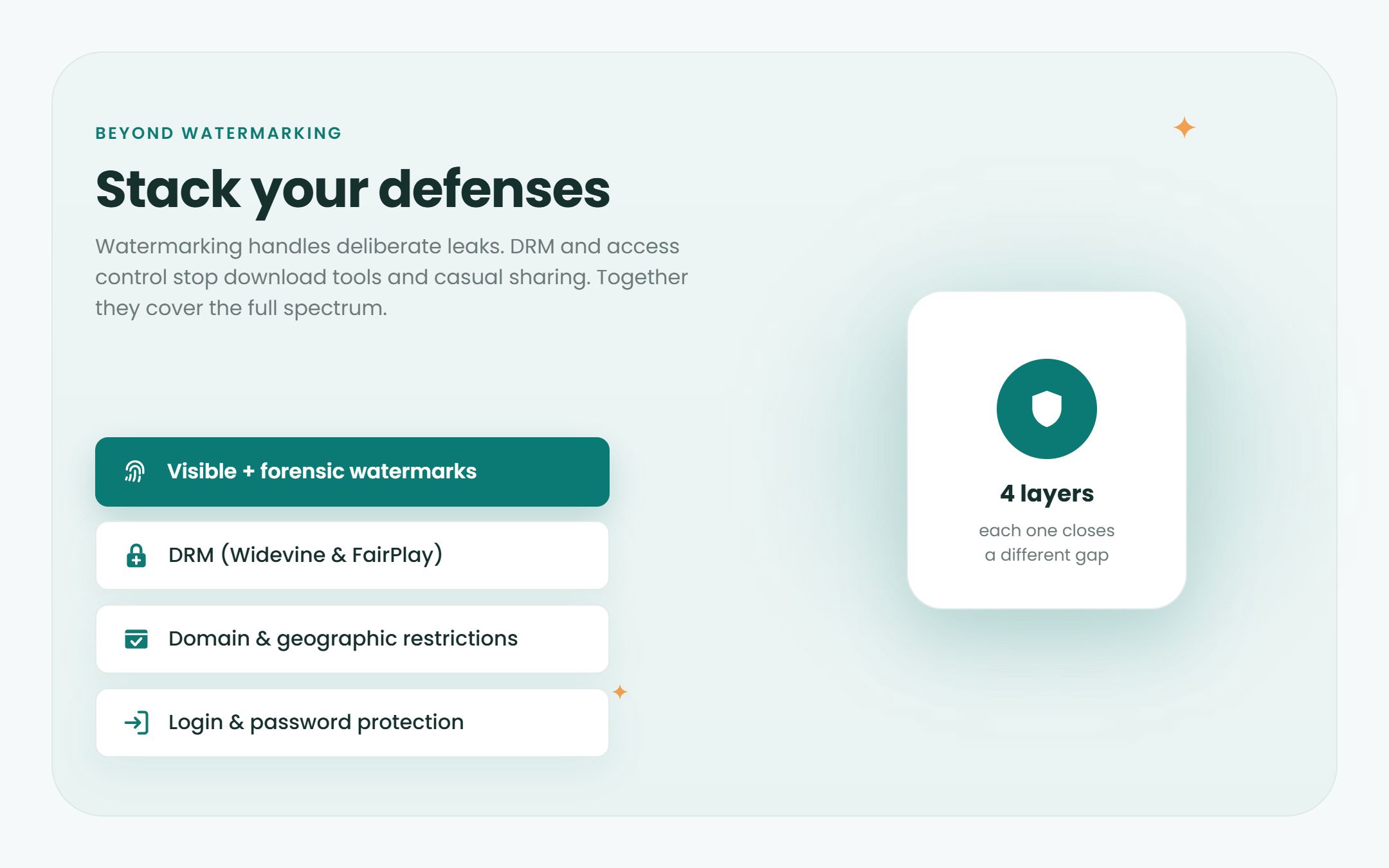
Watermarking is one powerful layer, but serious protection against pirated content comes from combining multiple safeguards. No single technology makes piracy impossible, but stacking defenses raises the effort required to steal your work to the point where most people give up.
Complementary technologies to consider as part of a broader protection service stack:
– DRM (Widevine and FairPlay), so download tools can’t save a copy that plays. Basic HLS encryption isn’t enough on its own, because download tools can use the same key the player gets
– Domain and geographic restrictions to confine playback to specific sites or countries
– Password, login protection, or SSO to tie each viewing session to a real user
– Analytics and audit logs to detect and monitor suspicious behavior like unusual watch locations or abnormal session counts
Encryption and access control reduce casual theft. Watermarking deals with deliberate leaks and screen capture. Together, they cover the full spectrum. For a deeper look at how DRM and encryption platforms fit into this stack, the differences matter. To compare platforms on watermarking, DRM and price, see our top 10 secure video streaming platforms, or for every level of privacy, our comparison of private video hosting platforms.
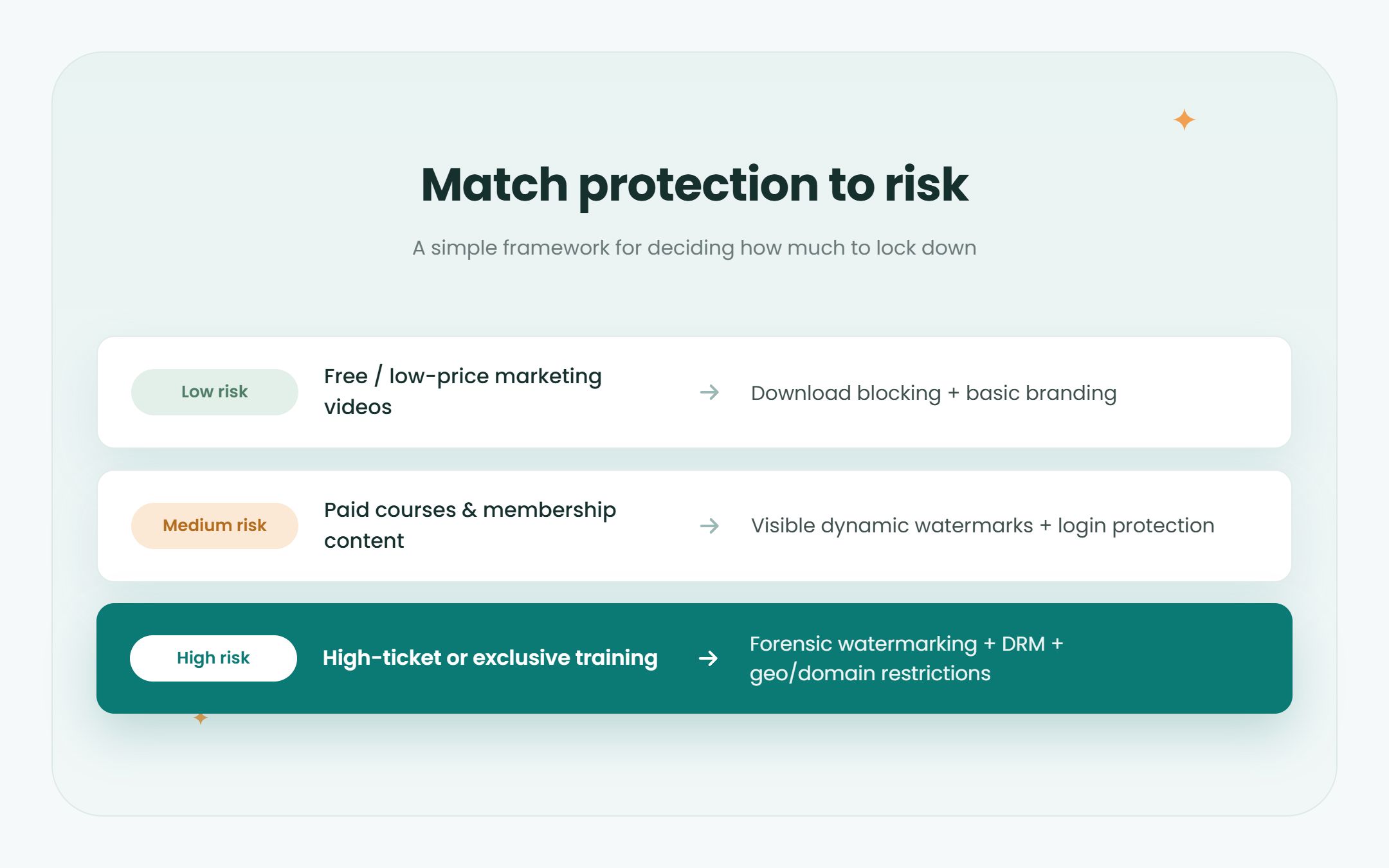
A simple risk-based framework:
| Content type | Recommended protection |
|---|---|
| Low-risk marketing videos | Platform download blocking and basic branding |
| Medium-risk paid content | Visible dynamic watermarks + login protection |
| High-risk or high-ticket content | DRM + geographic/domain restrictions + visible and forensic watermarking |
How Spotlightr Combines Watermarking and Secure Video Hosting
Spotlightr is a B2B video hosting and video marketing platform built for educators, course creators, and marketers who need strong content protection alongside marketing tools. Video hosting from spotlightr.com includes a viewer watermark as well as other security features, all managed from a single dashboard.
Watermarking:
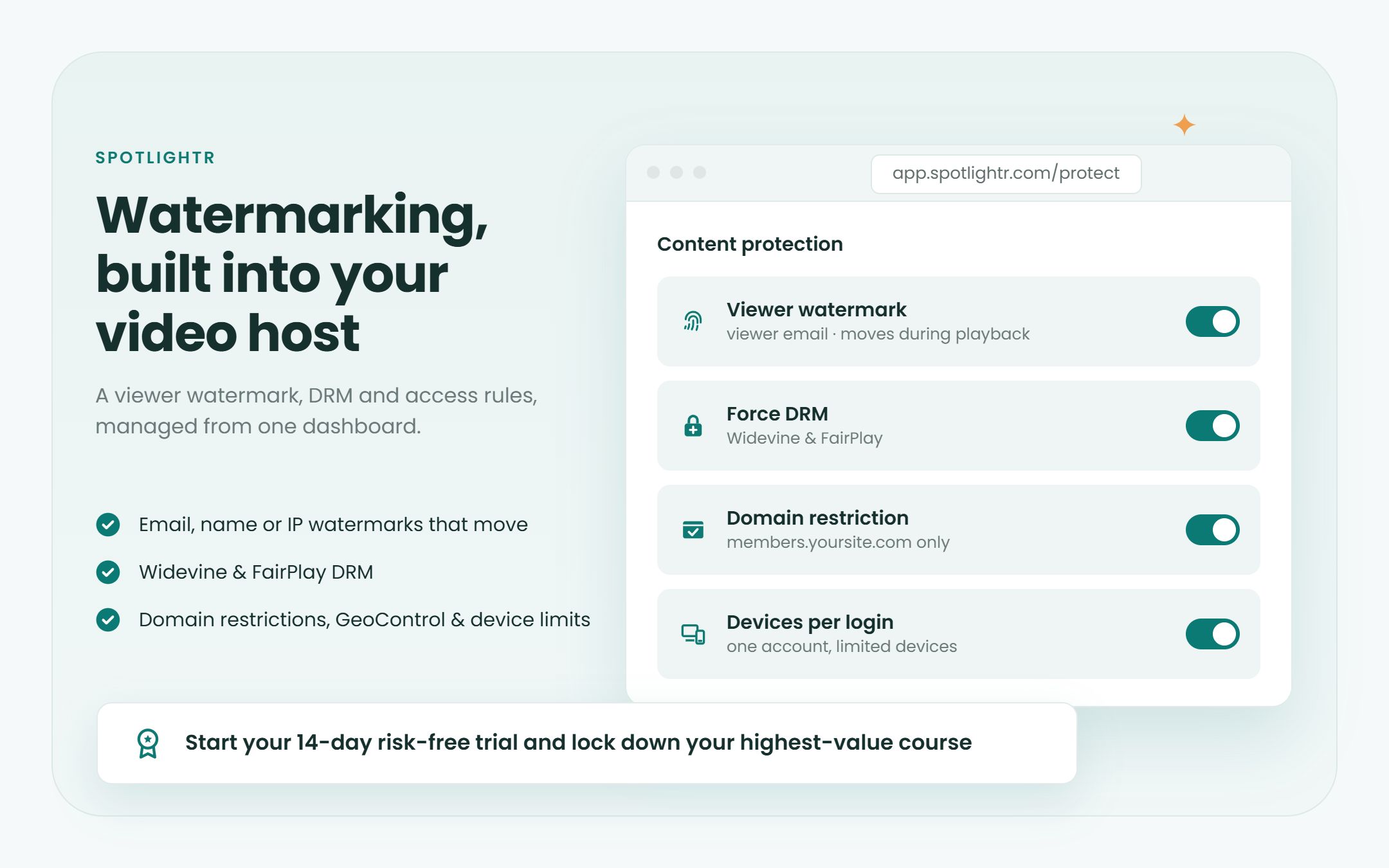
– A viewer watermark that shows the viewer’s name, email or IP address and moves around the player during playback. It’s off until you switch it on.
Security stack integration:
– DRM (Widevine and FairPlay), so download tools can’t save a copy that plays. DRM protects playback wherever the device supports it; Force DRM blocks playback everywhere else.
– Domain restrictions and GeoControl to control where videos can play
– Device limits and one-time sign-in codes, so one login can’t be passed around
– Login protection via membership sites and LMS integrations
Running your course on WordPress? See how to prevent video downloads in WordPress.
Beyond protection, Spotlightr also supports customizable branded players and watch pages, lead capture forms, calls to action, and detailed video analytics and engagement tracking to monitor user behavior and spot anomalies.
If you’re ready to protect your content, start your 14-day risk-free trial with Spotlightr and configure DRM, the viewer watermark, and access rules on your most valuable course or training series.
FAQ: Video Watermarking and Anti-Piracy
These FAQs cover common concerns about implementation, legal value, and performance that creators often worry about before enabling watermarking on their video library.
Does adding invisible watermarks affect video quality or load times?
Modern invisible watermarking algorithms keep objective quality metrics (VMAF, PSNR, SSIM) nearly identical to the original, so viewers do not see degradation. The embedding happens once during encoding or packaging – it does not add latency to streaming or buffering.
Can pirates remove or defeat forensic watermarking by editing the video?
Basic edits like recompression, slight cropping, overlays, or modest filters generally do not remove well-made forensic watermarks. Extremely aggressive transformations – heavy cropping, severe blurring, repeated screen captures – can reduce detectability, but they also degrade the content to the point where it has little value for viewers. The goal is to raise the cost and complexity of removal high enough that most pirates find it easier not to share, or are easily traceable if they do. Forensic watermarking identifies sources of content leakage effectively even after common transformations.
Is watermarking enough on its own to stop my videos from being stolen?
Watermarking alone does not physically stop copying or screen recording. What it does is make leaks traceable and risky for the person sharing them. You should combine watermarking with DRM, download blocking, access control, and domain restrictions for a layered defense. Spotlightr bundles these layers so creators can configure everything from one platform rather than juggling multiple tools.
How does watermarking help with copyright enforcement and DMCA takedowns?
A forensic watermark can embed a unique identifier tied to a specific purchase or viewer, providing technical evidence of the leak’s origin. This evidence supports DMCA notices by demonstrating both ownership of the material and a verifiable distribution path. Keep accurate records mapping watermark IDs to users and dates so that when pirated content appears, you can respond quickly and take legal action with confidence.
Will visible watermarks annoy my students or customers?
Use small, semi-transparent, moving watermarks that are readable but do not cover key on-screen information or speaker faces. Inform learners up front – in onboarding emails or course terms – that watermarks protect everyone’s investment in the program. Many professional training providers routinely use dynamic watermarks, and when implemented thoughtfully, they rarely generate complaints. Watermarking can deter piracy by embedding unique identifiers that remind viewers the content is tracked without being intrusive.
Spotlightr Video Hosting For Your Course
DRM, domain restriction and a viewer watermark that makes every leak traceable.
Register for a free 2 week trial, no credit card required.

Bill is the founder of Spotlightr, a video platform used by course creators, membership sites and marketers who need their video hosted properly rather than uploaded somewhere and hoped for. He writes about instructional video from the inside — what creators actually publish, where students actually stop watching, and what the platforms in this category actually charge. He’s currently building Spotlightr Courses, a course product built around the video rather than bolted on top of it.